Resources · Guide 08 · CAROUSEL
Turn messy notes into a five-slide Instagram carousel
Photograph your scribbled notes, and Claude edits them into five designed slides: a list, a quote, a big number, a checklist and a call to action, sized 1080 × 1350 and exported as PNGs ready to post. The slides are built as code, so there is no image generator and no design app. This is how the "Prompting 101" carousel in the reel was made.
What you'll make
- Five carousel slides as 1080 × 1350 PNGs (Instagram's portrait size)
- Copy edited down to fit: a list, a quote, a big number, a checklist and a call to action
- A consistent look across the set, with your handle and page numbers on every slide
- An optional caption to post with it
What you need
Claude
Reads your notes, edits the copy and builds the slides (as an artifact in claude.ai, or as files in Claude Code)
Your notes
A photo of the page, a voice-note transcript or pasted bullet points
Post the five PNGs in order as one carousel
Step by step
6 steps-
Get the notes down, however messy
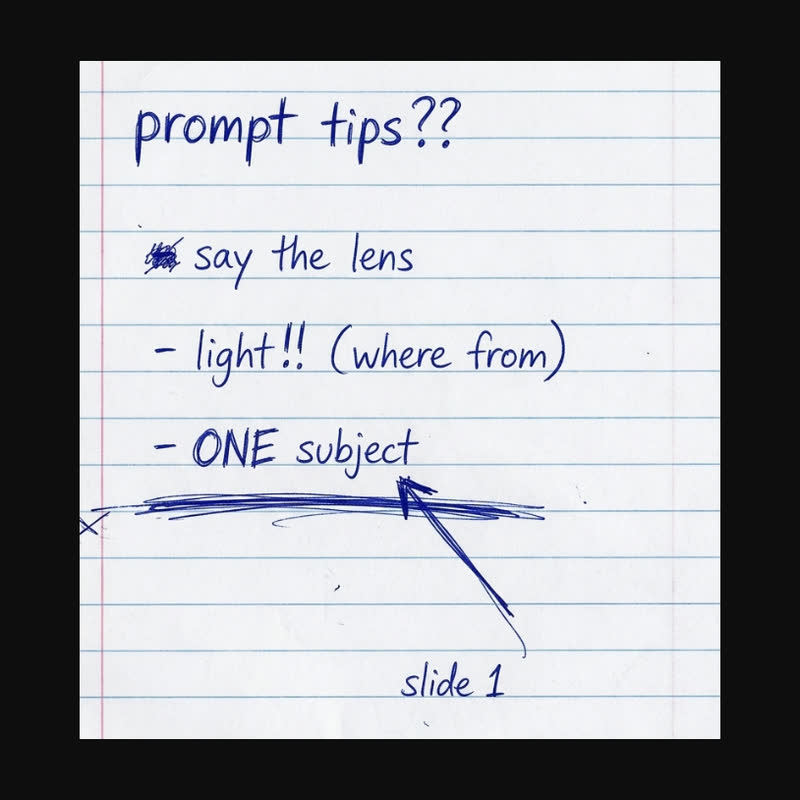
Scribble the idea the way you think it: a heading, a few tips, a line you like, a number worth remembering. Crossed-out bits and arrows are fine. In the reel the notes started "prompt tips??" with "- say the lens", "- light!! (where from)" and "- ONE subject".
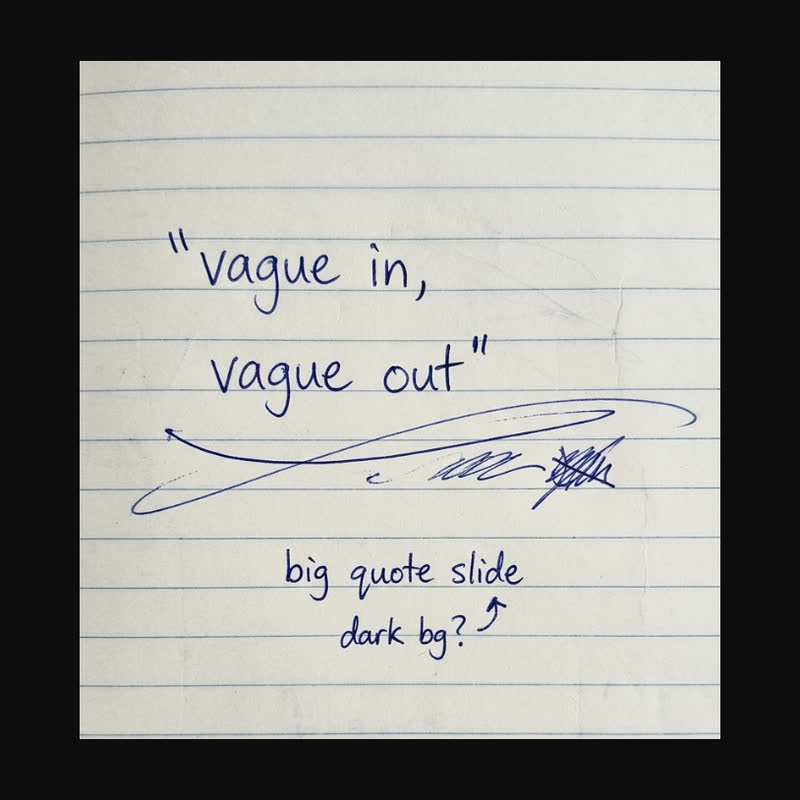
If you already know what goes on a slide, write it next to the note ("slide 1", "big quote slide", "dark bg?"). Photograph the page straight on.
 Slide 1
 Quote slide
Two pages of notes from the reel. Crossings-out are fine, and a note like "slide 1" or "big quote slide, dark bg?" tells Claude where it goes. -
Ask Claude to read them back first
Handwriting is where mistakes start, so ask Claude to transcribe the notes and show which note goes on which slide before it designs anything. Correct anything it misread.
Ask ClaudeHere are my notes for an Instagram carousel. First transcribe them exactly. Then map them to five slides: 1) a list slide with a title that has a number in it and 3 short bullets, 2) a quote slide with one short line, 3) a big-number slide with the number, its unit and one line on why it matters, 4) a checklist of 5 single words, 5) a call-to-action slide. Show it as a table and ask me anything you can't read. Don't invent statistics: if there's no number in my notes, suggest one from them and tell me.
-
Cut the words to fit
Each slide gets about two seconds of attention. Titles of six words or fewer, bullets of two to four words, a quote of eight words or fewer, one word per checklist row.
Ask Claude to tighten your words, not replace them. It should still sound like you.
Ask ClaudeTighten the copy to fit: title 6 words max, bullets 2 to 4 words, quote 8 words max, one word per checklist item, CTA 7 words max with a 1 to 3 word button. Keep my wording and tone where you can. Show me the final words for all five slides before you design them.
-
Have Claude design the five slides
Ask for exactly 1080 × 1350 per slide and a rhythm of light, dark, colour, light, dark, so each swipe feels different but the set looks like one post. Give it your handle and brand colours if you have them.
The reel used a cream background, near-black, a red-orange accent and a yellow highlight, with a heavy grotesque for headlines and Inter for everything else.
Ask ClaudeDesign the five slides as HTML, each exactly 1080 × 1350. Rhythm: slide 1 light, slide 2 dark, slide 3 in the accent colour, slide 4 light, slide 5 dark. Headlines in Bricolage Grotesque, everything else in Inter. My handle [@HANDLE] bottom left and the page number (1/5) bottom right on every slide. Colours: [YOUR COLOURS or cream #f5f0e6, ink #141414, accent #e0532f, highlight #f6c945]. Show all five side by side in an artifact.
-
Export the PNGs
In claude.ai, ask for download buttons on the artifact. They use a small open-source library (html-to-image) to save each slide as a PNG at full size. In Claude Code, Claude can save each slide with a headless browser screenshot at exactly 1080 × 1350.
Open one PNG on your phone before posting. If any text is hard to read there, ask for it bigger.
Ask ClaudeAdd a "Download PNG" button under each slide and a "Download all" button. Use html-to-image to export each slide at exactly 1080 × 1350 (the full-size slide, not the scaled preview), named slide-1.png to slide-5.png.
-
Post them in order
Upload the five PNGs to Instagram as one post, in order, and keep the 4:5 crop. Ask Claude for a short caption if you want one: a hook line, two lines that add something the slides don't say, and the call to action.
The prompts behind the reel
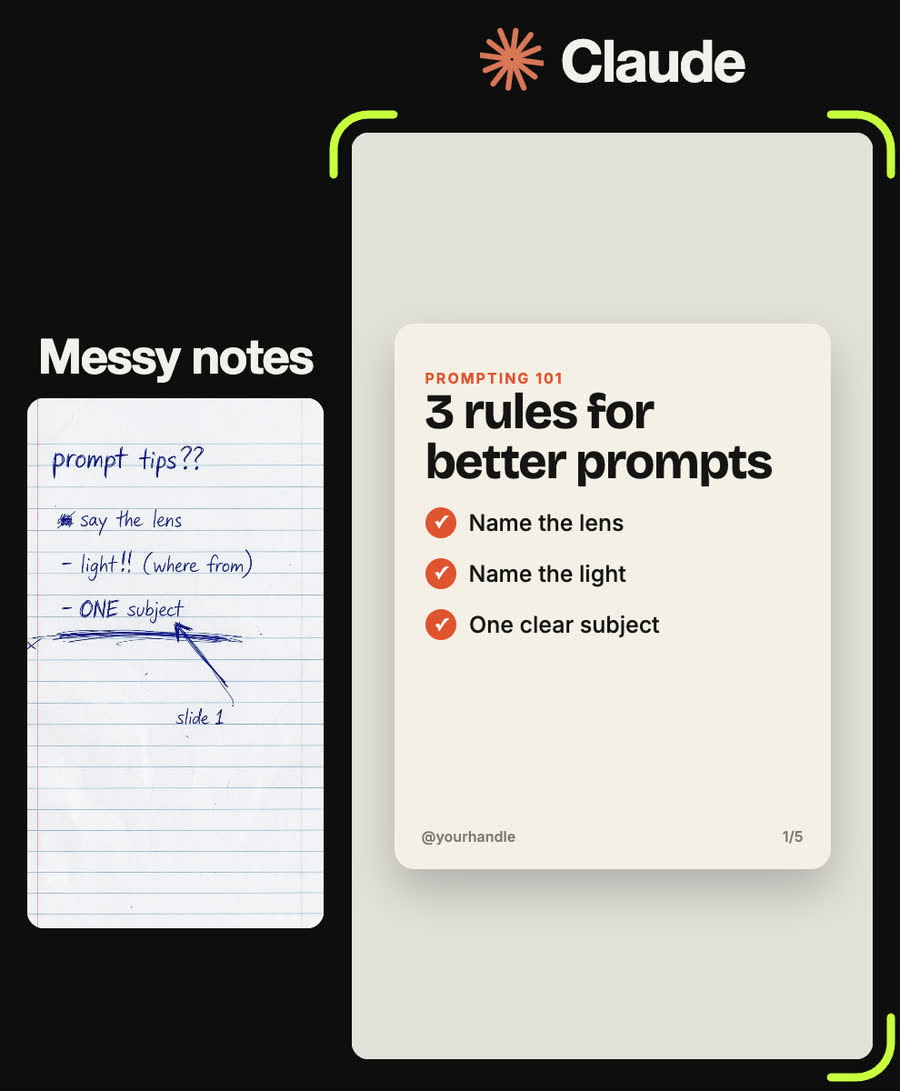
Slide 1, light background: small orange label "PROMPTING 101", big title "3 rules for better prompts", then three bullets each with an orange tick in a circle: "Name the lens", "Name the light", "One clear subject".
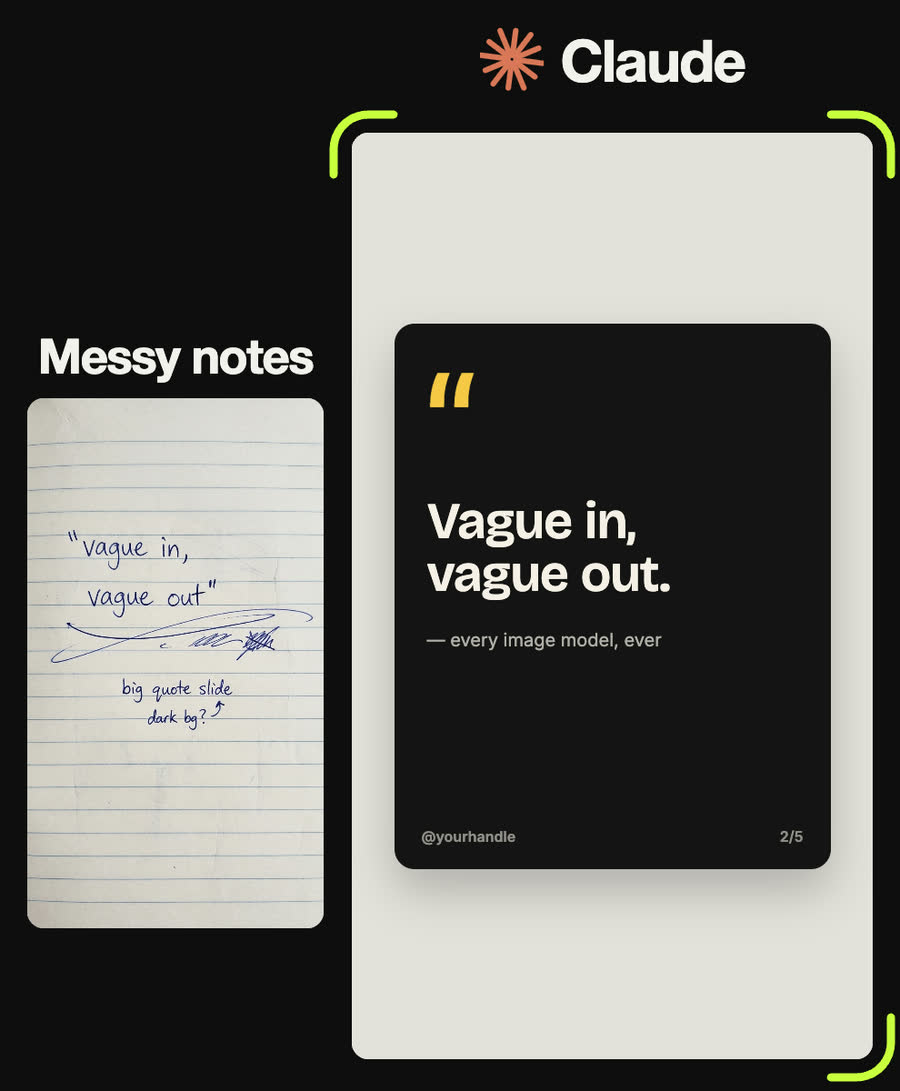
Slide 2, dark background: a huge yellow opening quote mark, then "Vague in, vague out." in large bold type, and a small faded attribution underneath: "every image model, ever".
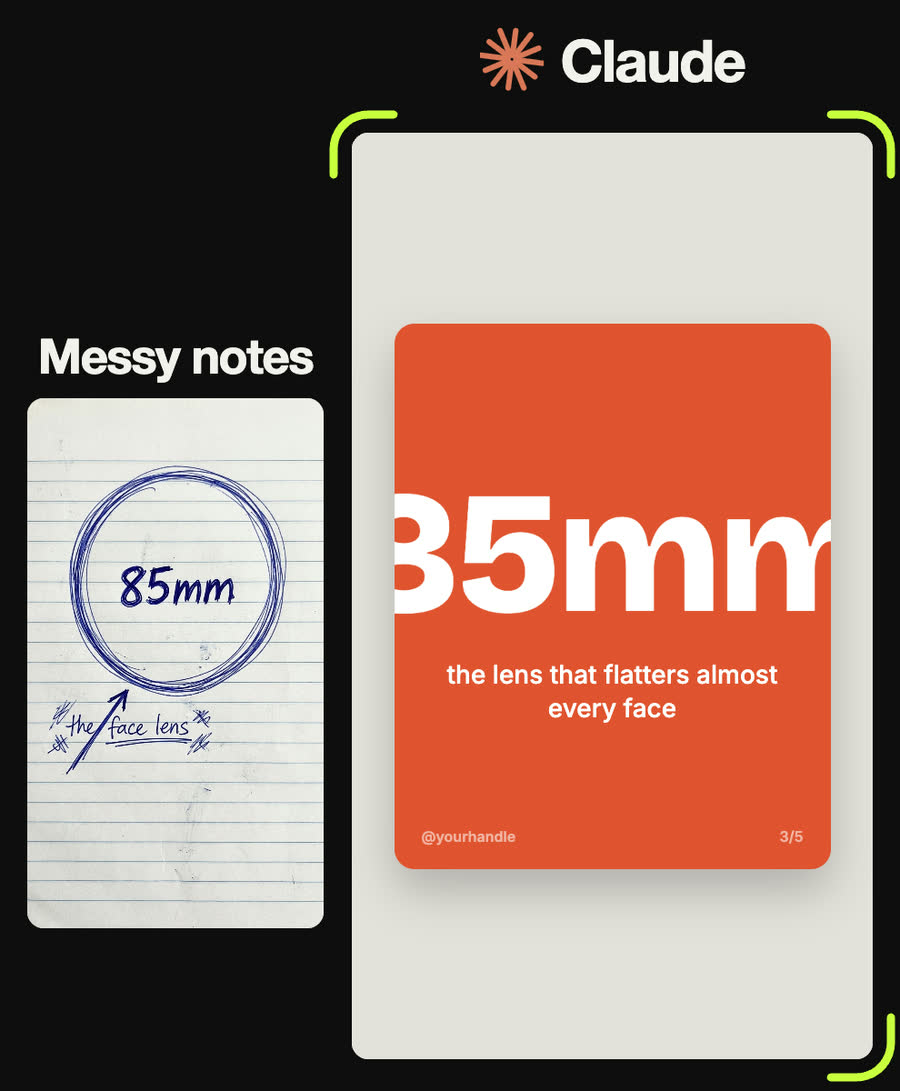
Slide 3, solid orange background, everything centred in white: "85mm" as big as fits the width, and under it "the lens that flatters almost every face".
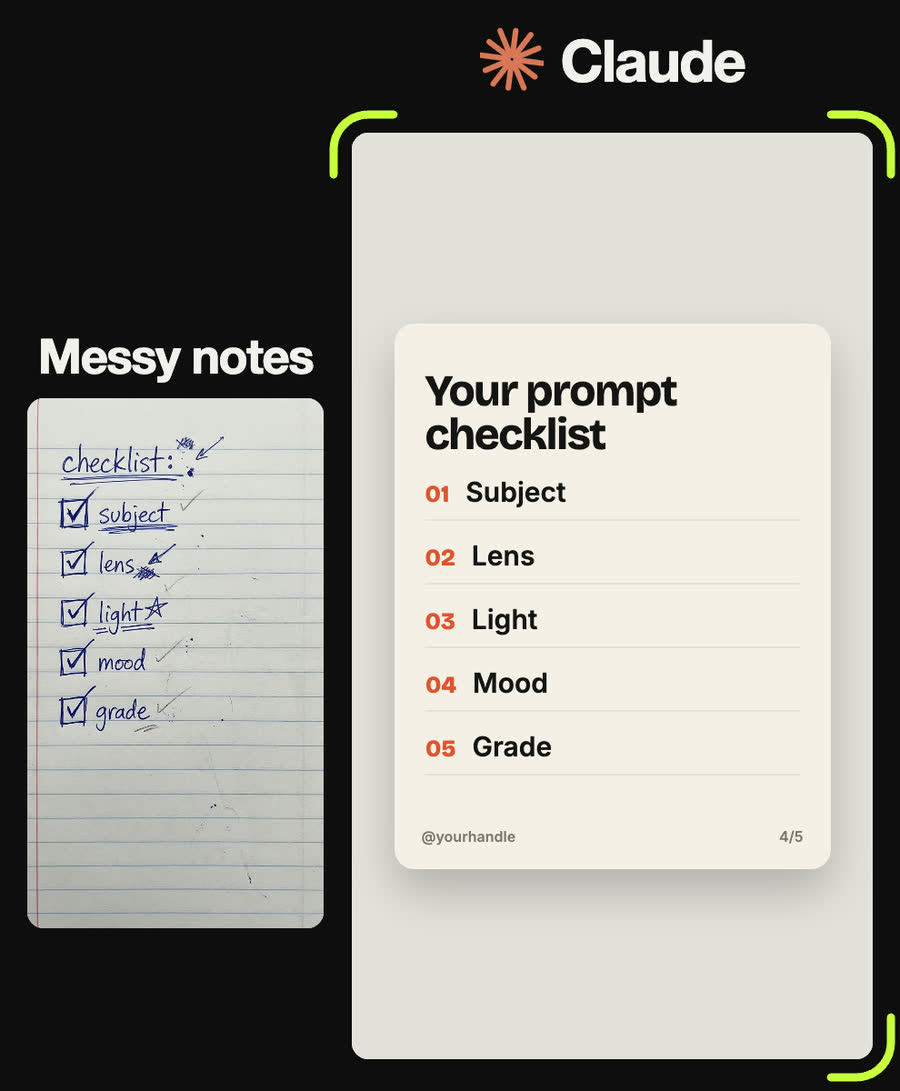
Slide 4, light background: title "Your prompt checklist", then five rows numbered 01 to 05 in orange with a thin rule under each: Subject, Lens, Light, Mood, Grade.
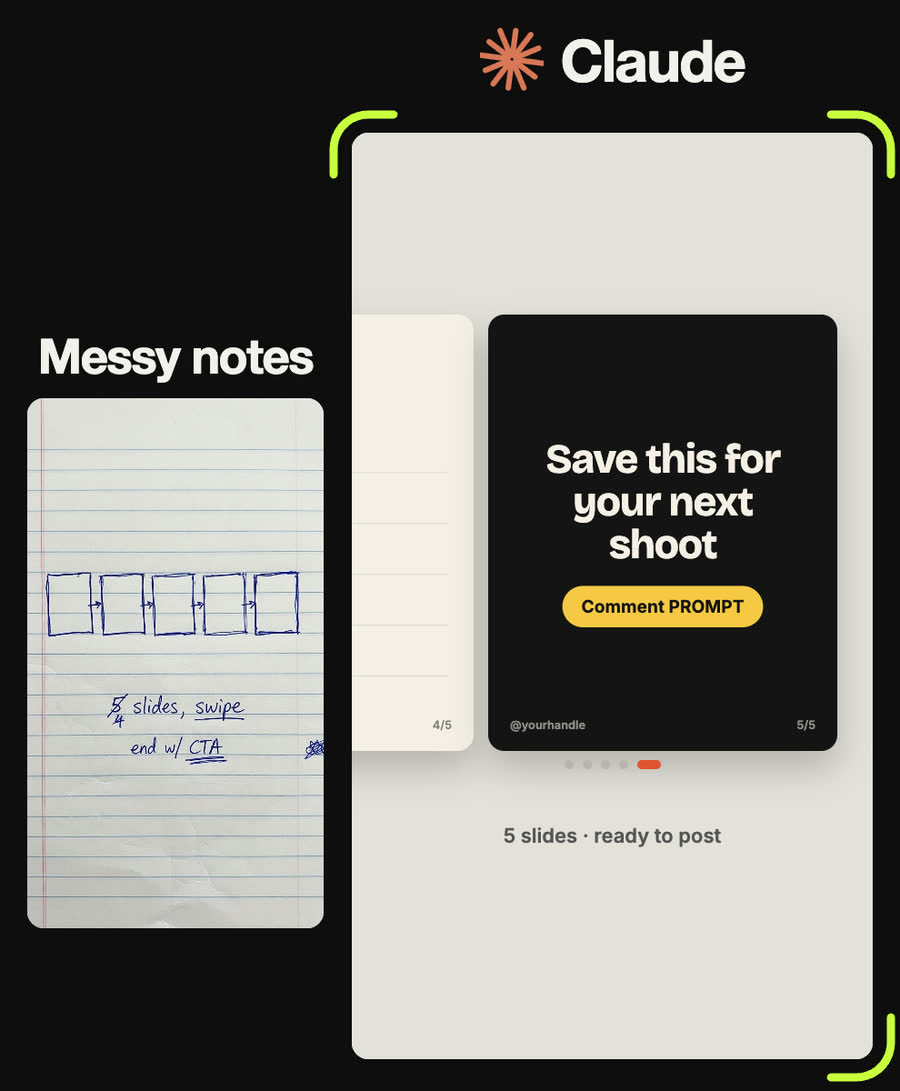
Slide 5, dark background, centred: "Save this for your next shoot" in big type and a yellow pill button underneath that says "Comment PROMPT".
Tips
- Put the number in the first slide's title ("3 rules…"). It tells people how long the swipe is.
- Only use numbers you can back up. A big-number slide is the one people screenshot.
- Alternate light and dark slides. A set that is all one colour feels like one long slide.
- Keep text away from the outer edges. Instagram's buttons and the profile grid crop can cover them.
- Change the words before you change the design. Most "it doesn't look right" problems are too many words.
Claude skill
Do it in one go with the notes-to-carousel skill
Give Claude your notes and it transcribes them, maps them to five slides (list, quote, big number, checklist, call to action), edits the copy to fit and builds 1080 × 1350 slides as HTML with PNG export. Includes the reel's measured spec and the finished Prompting 101 carousel as a starter.
Download notes-to-carousel.zipIn Claude (web or desktop app)
- Open Settings → Capabilities and make sure code execution is on.
- Under Skills, choose Upload skill and pick the zip.
- Start a chat, attach a photo of your input, and ask for the result. Claude uses the skill on its own.
In Claude Code
- Unzip it into
~/.claude/skills/(or.claude/skills/in a project). - Restart Claude Code and ask for the result. The skill loads when it fits.