Resources · Guide 10 · BUILD
Turn a photo of your brick build into a real-world film still and a moving shot
Photograph a toy you built, let Claude read its shape and colours and imagine the real thing in a fitting place, and get back a photoreal scene plus a 4-second cinematic clip. This is the exact process behind the reel.
What you'll make
- A description of your build that keeps its shape and colours
- A photoreal still of the real-world version in a fitting location (9:16)
- A 4-second moving shot of that scene with one camera move
- Every prompt, ready to reuse for your next build
What you need
Claude
Reads your photo, describes the build, picks the location and light, and writes the still and camera-move prompts
Z Image Turbo
Makes the photoreal still (we used it through the Higgsfield API; any strong image model works)
Seedance 2.0
Turns the still into a 4-second moving shot (image-to-video, through Higgsfield)
Step by step
6 steps-
Photograph your build
Any phone photo works as long as the whole model is in frame and its colours are clear. The builds in the reel sat on a messy desk, a carpet, a kitchen table, an unmade bed and a bookshelf.
Shoot it from the side you would want to see in the film: the front of the car, the castle's towers, the robot's face.
-
Have Claude describe it as the real thing
Claude reads what the model is, its overall shape and its colours, then describes the full-size version in the same terms. A small red brick car became "a real boxy red retro sports car"; a grey castle with two towers and green flags became "a grey stone castle with two towers flying green flags".
Keep the shape words. "Boxy" is what makes the real car still look like your build. Keep brand names out, including the name of the bricks.
Ask ClaudeHere is a photo of a model I built from toy bricks. Tell me what it is, then describe the real, full-size version in one line that keeps its overall shape and its colours (for example "a real boxy red retro sports car"). Use the shape words that make it recognisable. No brand names, including the toy's.
-
Put it somewhere it belongs
Ask Claude for three places and lights that suit the thing, then pick one. The reel put the car on an empty desert highway at sunset, the castle on a misty hilltop in morning light, the robot in a foggy shipyard at dawn, the spaceship over a planet's curved horizon at sunrise and the townhouses on a city street in the morning.
Something for scale helps big builds read as big: the robot prompt has "tiny workers below for scale".
Ask ClaudeSuggest three real-world settings for it, each with a time of day and light. Then, for the one I pick, write an image prompt: "Photorealistic [photograph, aerial photograph, film still or street photograph] of [the real-world description] [what it is doing] [in the setting], [light], [one scale cue if it is big], cinematic". Vertical 9:16 frame. No text, no logos.
-
Generate the still
Run the prompt at 9:16. We used Z Image Turbo through the Higgsfield API (about $0.015 a picture), but Nano Banana, FLUX or Midjourney take the same prompt.
Make two or three and keep the one that still looks most like your build. If the shape has drifted, add another shape word from your model and run it again. Fix it here: it costs far less than redoing the clip.
-
Give it one camera move
A moving shot prompt says three things: what moves in the scene, how the camera moves, and what the air and light are doing. End with "No cuts."
Match the move to the subject: a low tracking shot alongside a car, a slow aerial orbit around a castle, a low-angle push-in on a giant robot, tracking alongside a ship, a gentle forward dolly down a street.
Ask ClaudeWrite a 4-second image-to-video prompt for this still: [what the subject does] + [one camera move and its speed] + [what moves around it: dust, mist, flags, clouds, people]. One move only. End with "No cuts."
-
Animate with Seedance 2.0
Give Seedance 2.0 (image-to-video) the still and its motion prompt at 4 seconds, 720p. Through the Higgsfield API that is about $0.30 a second, so roughly $1.20 a clip. Clips took between two and four minutes.
The still becomes the first frame, so the scene you picked is the scene that moves. Put your brick photo beside the clip and you have the before and after.
The prompts behind the reel
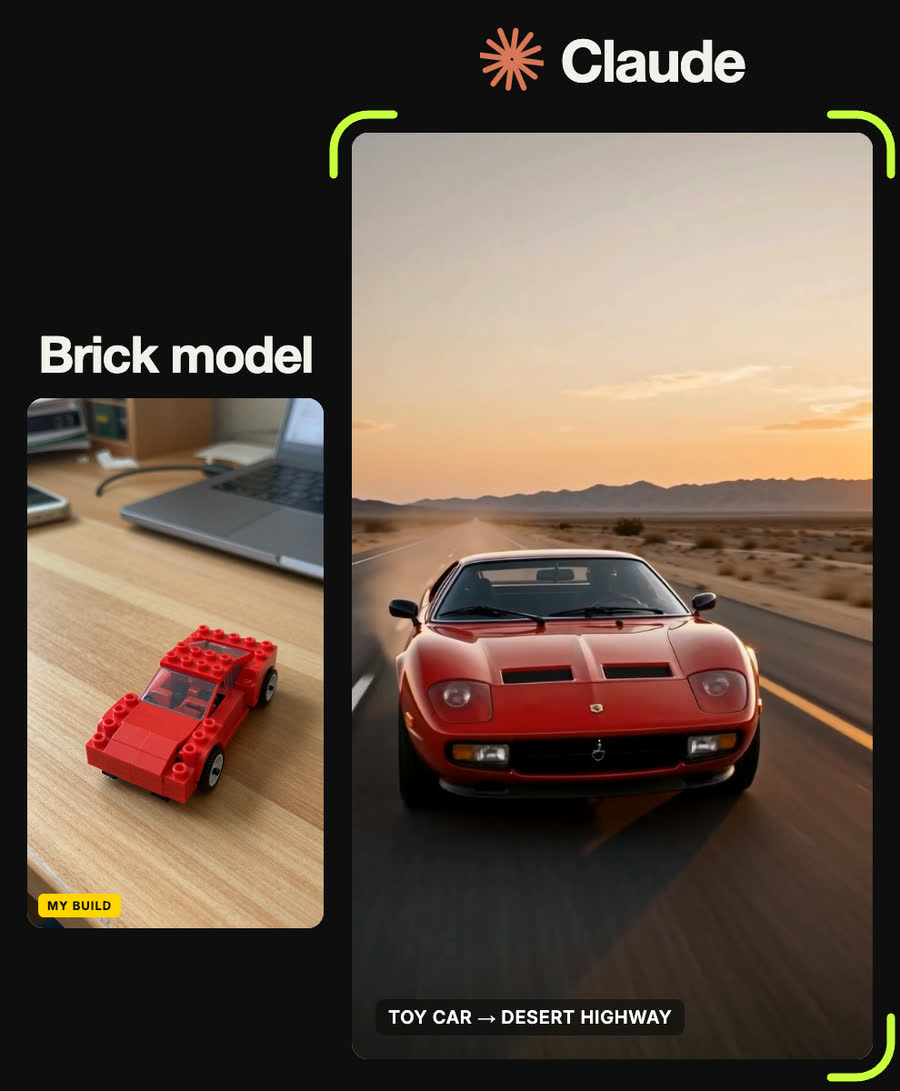
Photorealistic photograph of a real boxy red retro sports car driving on an empty desert highway at sunset, motion blur, cinematic
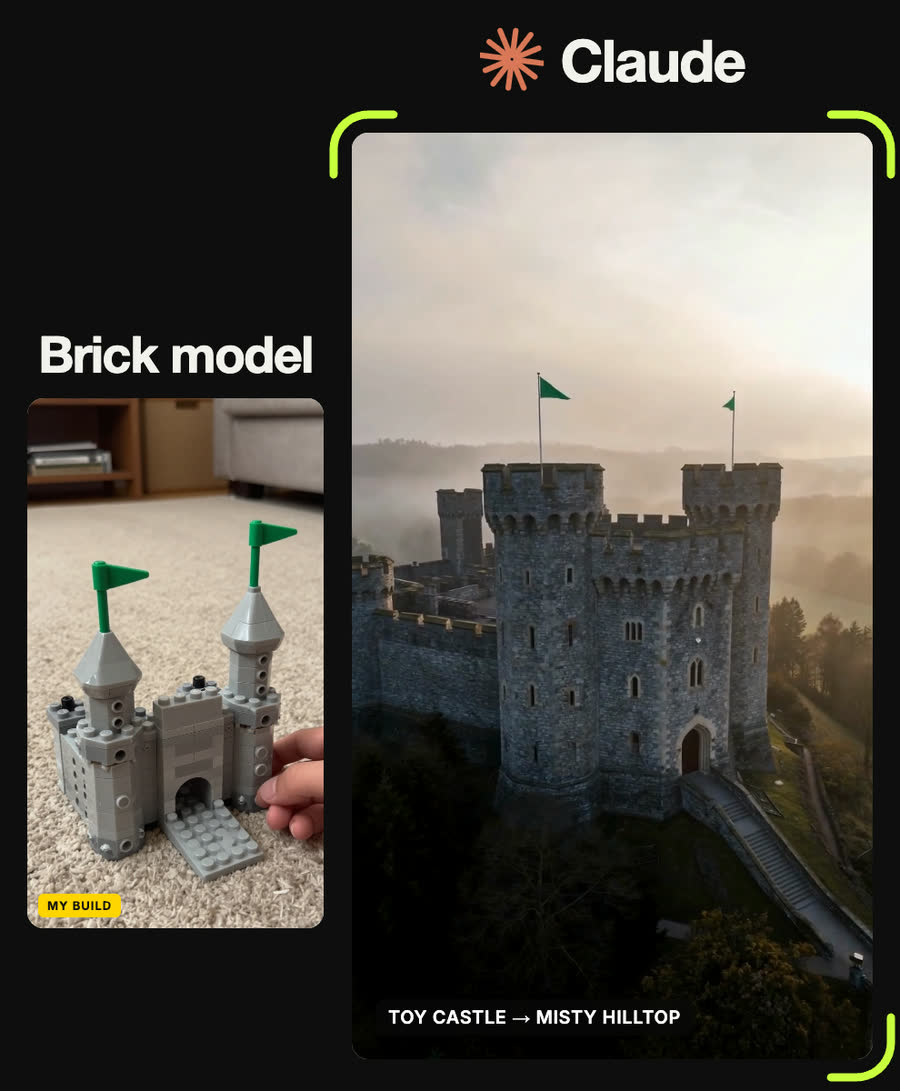
Photorealistic aerial photograph of a grey stone castle with two towers flying green flags on a misty hilltop, dramatic morning light
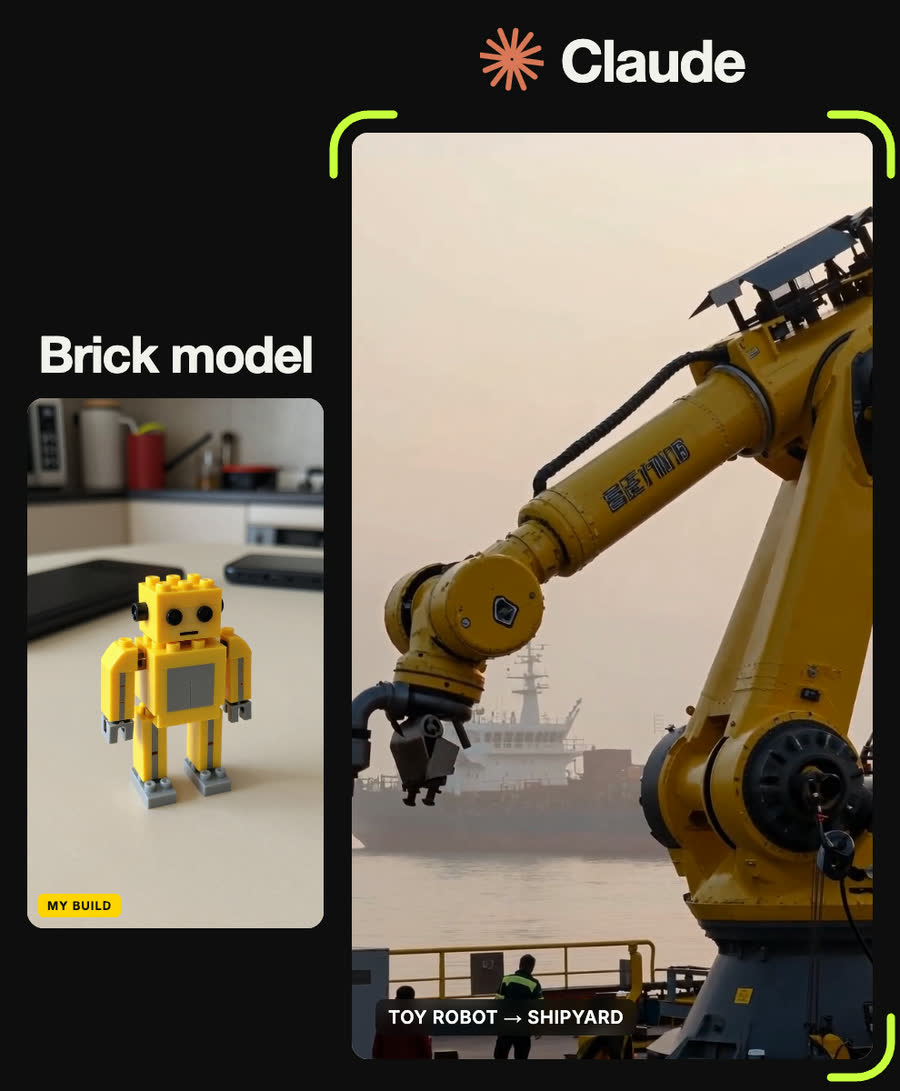
Photorealistic photograph of a giant yellow and grey industrial robot standing in a foggy shipyard at dawn, tiny workers below for scale, cinematic lighting
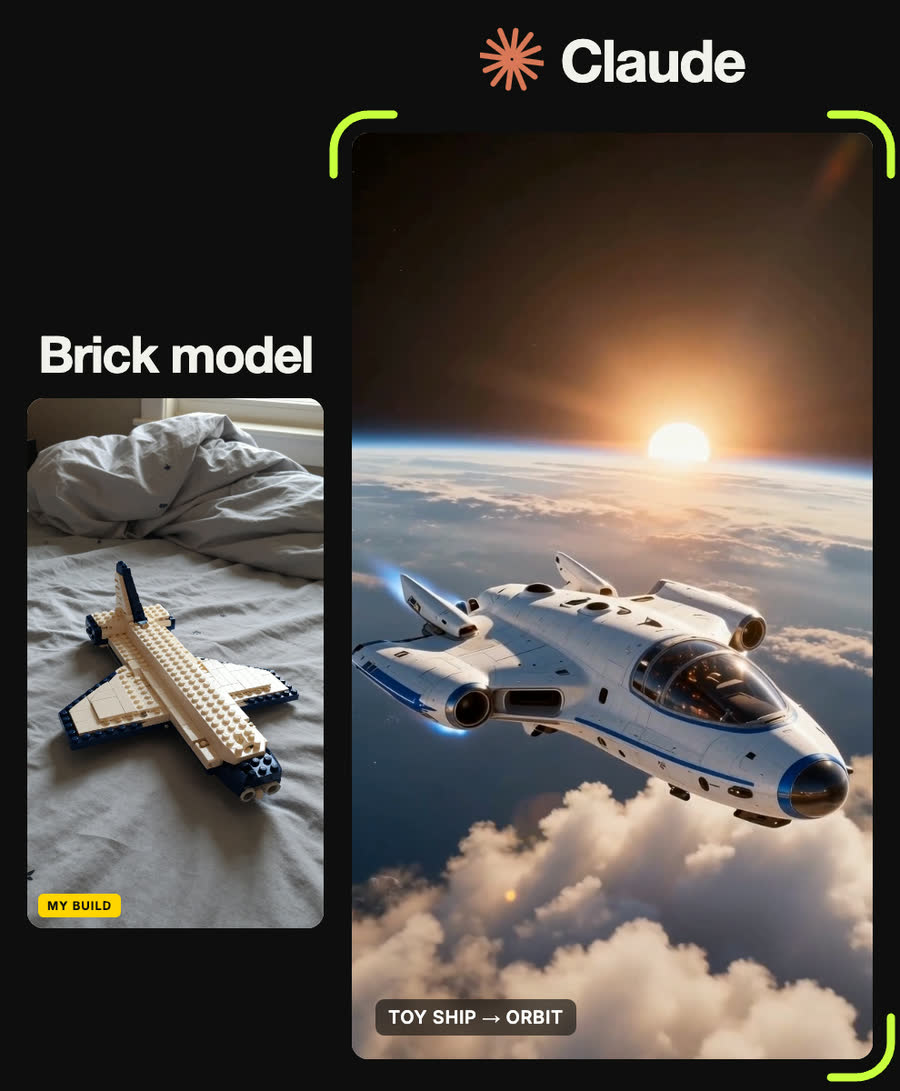
Photorealistic sci-fi film still of a white and blue spaceship flying low over a planet's atmosphere, sunrise breaking over the curved horizon
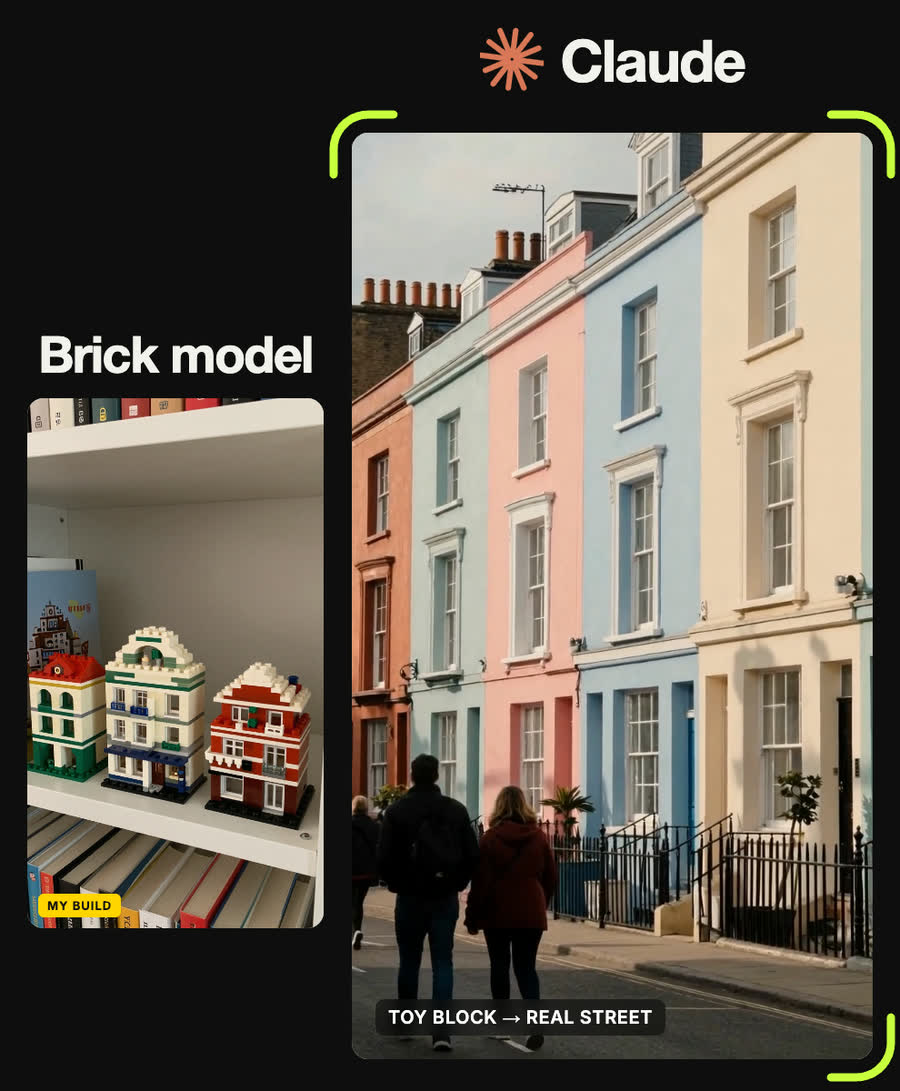
Photorealistic street photograph of a row of colourful townhouses on a city block, morning light, people walking, cinematic
The red sports car speeds toward camera along the desert highway at sunset, low tracking shot alongside it, heat haze and dust, motion blur on the road. No cuts.
Slow aerial drone orbit around the stone castle on the misty hilltop, the green flags flapping in the wind, morning mist drifting through the valley. No cuts.
The giant yellow industrial robot arm slowly swings and lowers its claw in the foggy shipyard, workers below look up, steam and fog drift. Slow low-angle push-in. No cuts.
Tips
- Keep your build's shape words (boxy, two towers, curved hull) in the prompt. They are what make the real version look like yours.
- Never name the toy brand or a real car, ship or film. Describe shapes and colours instead.
- One camera move per clip. Two moves in one prompt usually becomes a wobble.
- Every prompt in the reel came from a brick build. Clay or card models should work the same way, since Claude only works from shape and colour, but we have not tested them.
Claude skill
Do it in one go with the brick-model-to-real-world skill
Give Claude a photo of your brick or clay build and it returns a real-world description that keeps its shape, three settings to choose from, a photoreal still prompt and a 4-second camera-move prompt. In Claude Code with a Higgsfield key it can also generate the still and the clip for you.
Download brick-model-to-real-world.zipIn Claude (web or desktop app)
- Open Settings → Capabilities and make sure code execution is on.
- Under Skills, choose Upload skill and pick the zip.
- Start a chat, attach a photo of your input, and ask for the result. Claude uses the skill on its own.
In Claude Code
- Unzip it into
~/.claude/skills/(or.claude/skills/in a project). - Restart Claude Code and ask for the result. The skill loads when it fits.