Resources · Guide 22 · FAST
When to use a fast model, when to pay for the full one, and how to set each up
A normal image model cleans random static into a picture over twenty to fifty steps. A distilled "student" model is trained to jump straight to its teacher's result in a few steps, sometimes one, which is often what turbo, flash or lightning means in a name. The usual price is a little less variety, fewer controls and sometimes less fine detail. This guide shows how to tell a truly distilled model from one that is just a cheaper tier or a faster server, when each is the right choice, and the settings fast models need, as of October 2026.
How it works
A normal model cleans the static a little at a time, over 20 to 50 steps.
A student model is trained to jump straight to its teacher’s result in a few steps, sometimes one. Usually a little less variety and control.
What you'll make
- How to tell the three kinds of "fast": a distilled model, a lighter tier, or the same model on faster hardware
- A simple rule for when fast is enough and when to switch to the full model
- The correct steps and guidance for the popular few-step open models, the setting people most often get wrong
- A two-stage workflow: explore with the fast model, finish with the full one
What you need
Claude
Tells you which kind of fast model you are looking at, sets up the steps and guidance, and writes the prompts for both stages
A fast model
Nano Banana 2.1 or 2 Lite, FLUX.1 schnell or FLUX.2 klein, Z-Image Turbo, SDXL-Lightning, or a video model's Fast or Flash tier
A full model
Nano Banana Pro, FLUX.1 dev or a FLUX.2 full model, Z-Image, Midjourney, or the full video tier, for the final
Step by step
7 steps-
Find out what kind of fast it is
"Fast" in a name can mean three different things. A distilled model is a separate student trained to finish in 1 to 8 steps: SDXL Turbo, SDXL-Lightning, FLUX.1 schnell, FLUX.2 klein and Z-Image Turbo all are, and their model cards say so.
A lighter tier is a smaller or cheaper version whose maker doesn't say how it is made: Google's Nano Banana 2 Lite and Veo 3.1 Fast, Seedance 2.0 Fast, Kling 4.0 Flash. Same model, faster server: Midjourney's Turbo mode runs the same model on faster GPUs and charges double Fast time. Each behaves differently, so check before you rely on the name.
Ask ClaudeI'm looking at a model called [MODEL NAME] in [APP]. Tell me which kind of "fast" it is: 1) a distilled few-step model (trained to copy a slower teacher in a few steps), 2) a lighter or cheaper tier whose method isn't published, or 3) the same model run on faster hardware or at lower resolution. Only say it's distilled if the maker's model card or docs say so; otherwise say it's unknown. Then tell me what that means for quality, variety and settings.
-
Use fast for exploring
Fast models earn their place when you need many tries: testing a prompt, trying twenty compositions, storyboards and thumbnails, mood frames for a client call, or anything live and interactive. At a few steps you see results almost as quickly as you can type.
Most of these models drop classifier-free guidance, the setting that sharpens how closely the image follows the prompt, and with it negative prompts. That is fine for exploring: you are looking for a direction, not a final.
-
Switch to full for the final
Go to the full model for the image people will actually see: the hero shot, close-up faces and hands, small text, product detail, and any batch where you need the images to differ from one another. Variety is the most consistent loss. Tongyi rates Z-Image Turbo's diversity "Low" against "Medium" for the full Z-Image.
Also use the full model when you need negative prompts, strong guidance or fine-tuning. Stability AI says SDXL Turbo cannot render legible text and is fixed at 512 × 512, so it is a sketching tool, not a finishing one.
-
Set the fast model up correctly
The commonest mistake is running a distilled model with normal settings: 30 steps and guidance 7 is slower and tends to overcook the image. Use the maker's numbers. SDXL Turbo: 1 to 4 steps, guidance 0. SDXL-Lightning: the checkpoint that matches your step count (1, 2, 4 or 8), guidance 0, and in ComfyUI the Euler sampler with the sgm_uniform scheduler.
FLUX.1 schnell: 1 to 4 steps, guidance 0. FLUX.2 klein 4B: 4 steps, guidance 1.0. Z-Image Turbo: 8 model passes (9 steps in the Diffusers example), guidance 0. LCM-LoRA on SDXL: 2 to 8 steps, guidance 0 or between 1 and 2, with the LCM scheduler. The full list is under "Put it to work".
Ask ClaudeI'm running [MODEL] in [ComfyUI / Forge / Diffusers / fal / Replicate]. Give me the settings the model card recommends: number of steps, guidance or CFG, sampler and scheduler, and resolution. Tell me which of my current settings to change: [PASTE YOUR SETTINGS]. If you don't know the model card's values, say so instead of guessing.
-
Explore fast, then finish full
Work in two stages. Stage one: run your idea through the fast model in batches, change one thing at a time and keep the best two or three. Stage two: take the winning prompt, unchanged, to the full model, and attach the fast draft as an image reference if the full model accepts one.
Don't expect the same seed to give the same picture on the other model. A seed only repeats an image on the same model, at the same size and settings. The prompt and the reference image are what carry the idea across.
Ask ClaudeHere is the fast draft I picked and the prompt that made it: [PROMPT]. I'm going to make the final in [FULL MODEL]. Rewrite the prompt for that model: keep everything that made the draft work, add the detail the fast model left vague (materials, light direction, lens, small text exactly as it should read), and tell me whether to attach the draft as an image reference. Keep it under 80 words.
-
Test both on your own prompt
Claims about quality are averages. Run four images on the fast model and four on the full one with the same prompt, then compare. You will quickly learn where the fast model is good enough for your kind of work, and where it falls short.
Look for three things: how different the four images are from each other, fine detail at 100% (skin, fabric, hair, text), and whether every part of the prompt made it in.
Ask ClaudeHere are four images from [FAST MODEL] and four from [FULL MODEL], same prompt: [PROMPT]. Compare the two sets on: variety between the four images, fine detail at full size (skin, fabric, hair, text), and prompt adherence (list any part of the prompt missing in each set). Then tell me for which of my jobs the fast model is good enough: [LIST YOUR JOBS, e.g. storyboards, Instagram posts, client finals].
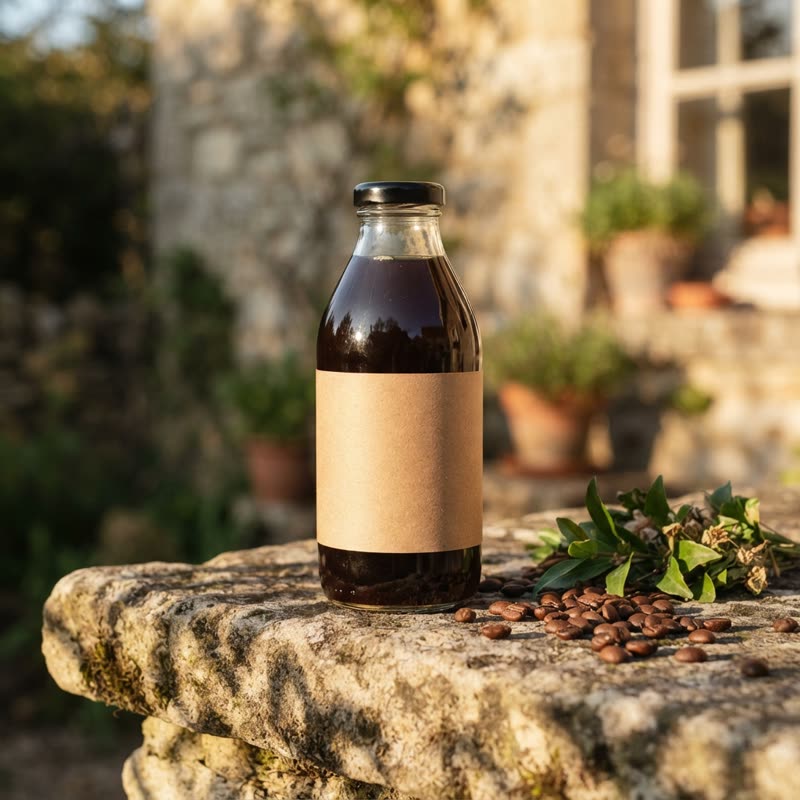 2 Lite · 2.8 s
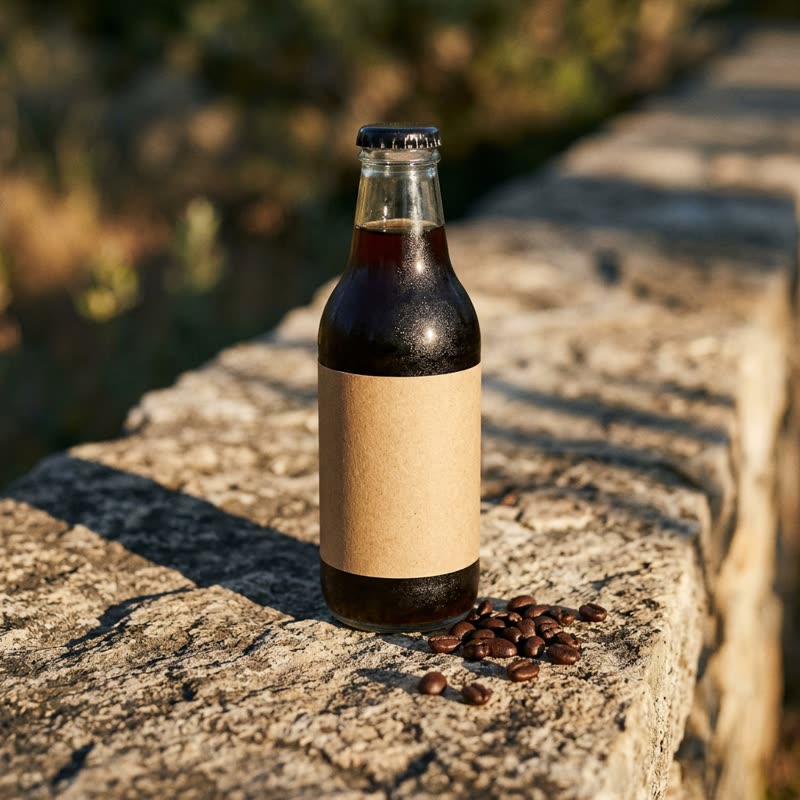 2.1 · 10.8 s
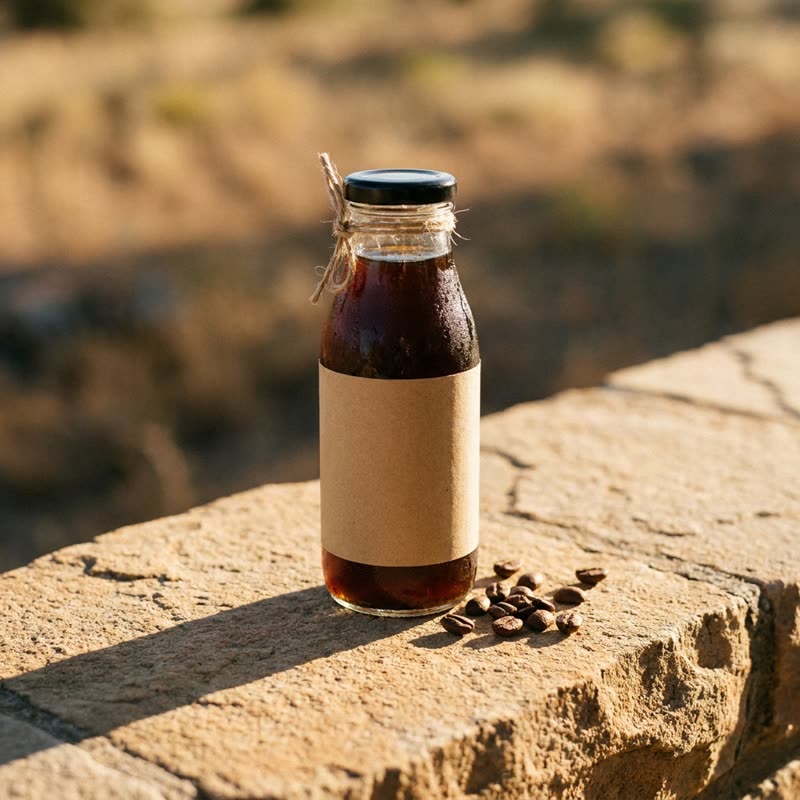 Pro · 12.4 s
One prompt in three Nano Banana models, one run each through the Gemini API (times include the network round trip). Google doesn't say how the lighter model is made; it's the quick, cheap one either way. Made for this guide on 31 October 2026. -
Do the same for video, where it saves more
Video tiers follow the same logic and the savings are larger, because every second costs. Use the fast or draft tier to test motion, timing and the camera move, then render the keeper on the full tier.
As of October 2026: Veo 3.1 Fast makes the same 4, 6 or 8 second clips as Veo 3.1 but tops out at 1080p, where Veo 3.1 goes to 4K. Runway added a Seedance 2.5 Draft mode that makes 480p drafts. Partners such as fal list Kling 4.0 Flash as the speed version of Kling 4.0.
Put it to work
-
Few-step open models: steps and guidance (from each model card)
SDXL Turbo (Stability AI): Adversarial Diffusion Distillation, 1 to 4 steps (one is enough), guidance 0, 512 × 512, no legible text. SDXL-Lightning (ByteDance): progressive adversarial distillation, checkpoints for 1, 2, 4 and 8 steps (2, 4 and 8 are the quality ones), guidance 0, trailing timestep spacing, Euler with sgm_uniform in ComfyUI.
FLUX.1 [schnell] (Black Forest Labs): latent adversarial diffusion distillation, 1 to 4 steps, guidance 0, Apache 2.0. FLUX.2 [klein] 4B: "our fastest distilled model", 4 steps, guidance 1.0, Apache 2.0, about 13 GB of VRAM. Z-Image Turbo (Tongyi-MAI): Decoupled-DMD distillation, 8 model passes, guidance 0, Apache 2.0. LCM-LoRA for SDXL: 2 to 8 steps, guidance 0 or 1 to 2, LCM scheduler.
For comparison, the full models: FLUX.1 [dev]'s example uses 50 steps at guidance 3.5, and the full Z-Image uses 50 steps with guidance. FLUX.1 [dev] is itself "guidance distilled" (no separate unguided pass), but not step-distilled.
-
Fast and full pairs in the apps (as of October 2026)
Google: Nano Banana 2 Lite ("the fastest and cheapest Gemini image model"), Nano Banana 2.1 ("Flash-level speed and cost efficiency") and Nano Banana Pro ("the premium choice for the most complex visual tasks"). Google does not say how its Flash models are made, so treat them as a lighter tier, not as a known distilled model.
Midjourney: Draft mode is for quick iteration. In V8.1 and V8.2 one Draft prompt makes 24 images at 512 × 512 for 0.4 GPU minutes. Turbo mode is the same model on faster GPUs, up to four times faster than Fast at double the GPU time, and isn't supported in V8.1. Ideogram: render speeds Flash (where supported), Turbo ("rougher or more sketch-like"), Default and Quality.
Copy-paste prompts
I make [WHAT YOU MAKE, e.g. product images for Instagram] and I have access to [TOOLS]. Set up a two-stage workflow: which fast model to explore with, which full model to finish with, the settings for each, how many drafts to make before choosing, and how to carry the chosen draft into the final (prompt, image reference, or both). Keep it to one short checklist I can follow every time.
My images from [FAST MODEL] look [overcooked / grey and washed out / noisy / broken]. My settings: [STEPS], [CFG / GUIDANCE], [SAMPLER], [SCHEDULER], [RESOLUTION]. Compare them with what the model card recommends and tell me exactly which values to change. If I'm using guidance or negative prompts the model doesn't support, say so.
Write 20 short prompt variations (under 30 words each) for a fast image model to explore compositions for: [IDEA]. Vary one thing per prompt: camera angle, distance, subject position, or time of day. Keep the subject and style words identical in all 20 so the differences are only composition. Number them so I can tell you which ones to take to the final model.
This draft came from [FAST MODEL] with this prompt: [PROMPT]. Write the final prompt for [FULL MODEL]. Keep the composition and subject, and add what the fast model left vague: exact materials, light direction and quality, lens and depth of field, and any text written exactly as it should appear. Tell me whether to attach the draft as a reference image and at what strength, if the model has one.
Here's the job: [DESCRIBE IT, e.g. 40 storyboard frames for a 30-second ad / one hero image for a billboard / 10 carousel slides with text]. Should I use a fast model, a full model, or both? Answer in three lines: the choice, the reason, and the one thing that would make you change your mind.
Tips
- Turn guidance down on distilled models. Most expect 0 or about 1; the usual 5 to 7 tends to overcook the image.
- Use the step count the checkpoint was trained for. SDXL-Lightning ships separate 1, 2, 4 and 8-step checkpoints for exactly this reason.
- Don't judge a model by its name. Check the model card for the word "distilled" and the recommended step count.
- Batch on the fast model and pick, then make one final on the full model. Variety is what fast models lose first.
- Text and close-up faces are where fast models slip most. If either matters, finish on the full model.
- A seed doesn't carry across models. Carry the prompt and a reference image instead.
Claude skill
Do it in one go with the fast-vs-full-models skill
Tell Claude which models you have and what you're making, and it works out whether each fast model is truly distilled, a lighter tier or just faster hardware, sets the right steps and guidance from the model card, plans a fast-to-full two-stage workflow, writes your exploration and final prompts and compares the results. Includes the settings for SDXL Turbo, SDXL-Lightning, FLUX schnell and klein, Z-Image Turbo and LCM-LoRA, and the fast and full tiers in Google, Midjourney, Ideogram and video tools as of October 2026.
Download fast-vs-full-models.zipIn Claude (web or desktop app)
- Open Settings → Capabilities and make sure code execution is on.
- Under Skills, choose Upload skill and pick the zip.
- Start a chat and describe what you are making. Claude uses the skill on its own when it fits.
In Claude Code
- Unzip it into
~/.claude/skills/(or.claude/skills/in a project). - Restart Claude Code and ask for the result. The skill loads when it fits.