Resources · Guide 11 · TYPE
Make words move the way they mean
Write a word, doodle how it should move, and have Claude turn it into an animation where Slow stretches, Explode blows apart, Melt drips, Glitch breaks up and Fly takes off. It is all code: no image or video model.
What you'll make
- A kinetic type animation for each word, 3 seconds at 9:16
- The reel's five effects: Slow, Explode, Melt, Glitch and Fly
- A single web page you can play, edit and screen-record
- A method for designing new effects for your own words
What you need
Claude
Reads your word and doodles, designs the motion and writes the animation as HTML, CSS and JavaScript
Your browser
Plays the animation; any screen recorder turns it into a video
Remotion (optional)
Renders the same animation to an MP4 if you code; the reel was made this way
Step by step
7 steps-
Write the word and doodle the motion
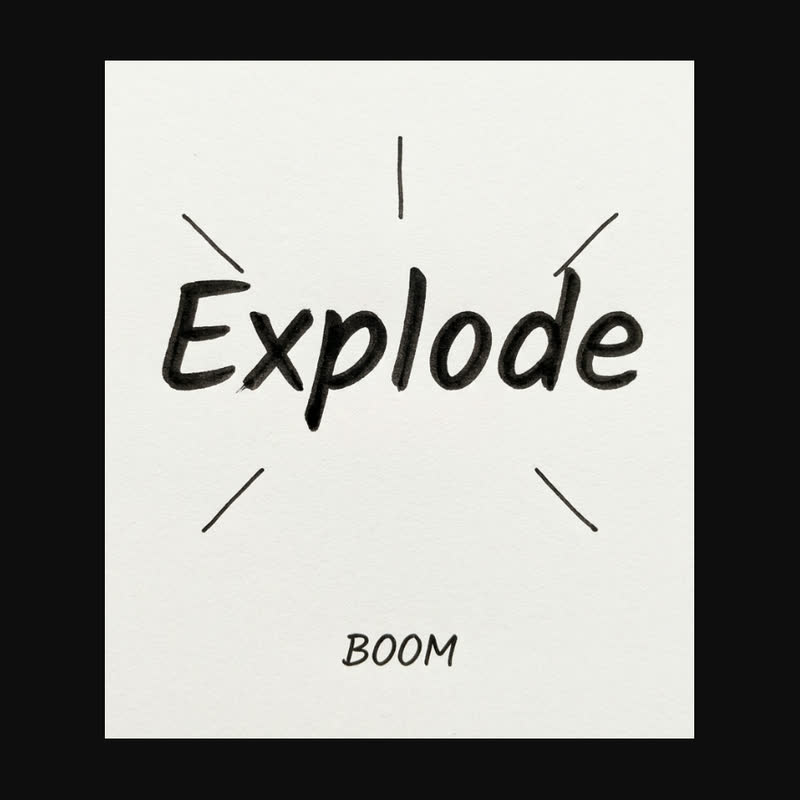
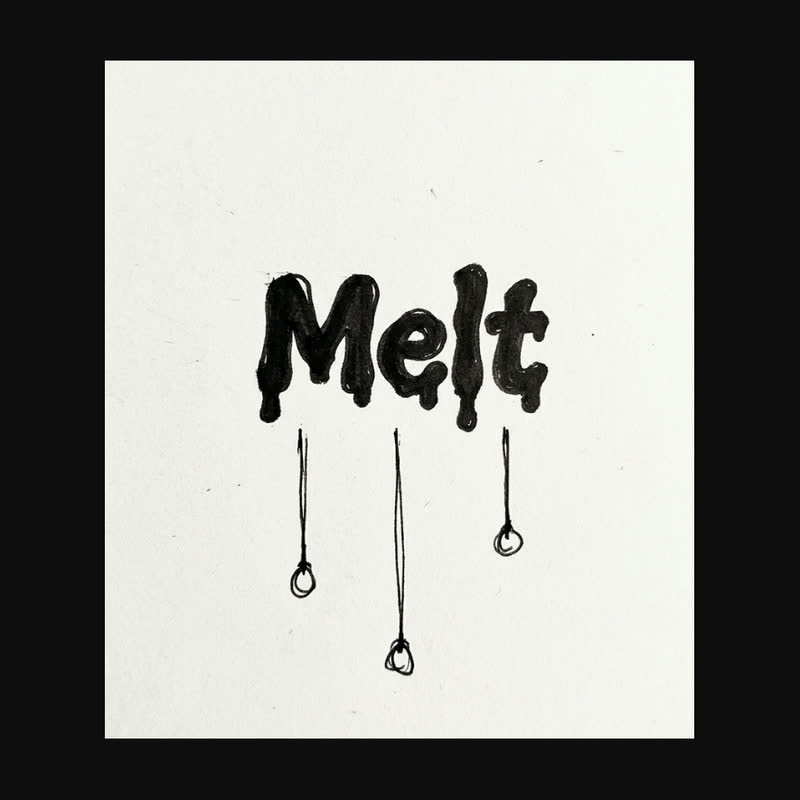
Write one word per page. Around it, draw what it should do: an arrow and "stretch" for Slow, burst lines and "BOOM" for Explode, drips under Melt, a zigzag for Glitch, little wings for Fly.
Short words work best. The reel used words of three to seven letters. Take a straight-on photo of each page.
 Explode
 Melt
Two of the word sketches in the reel: burst lines and BOOM around Explode, drips under Melt. The marks tell Claude what the motion should be. -
Ask Claude to design the motion first
Before any code, get one line per word describing what the letters do, when, and in what colours. This is where the idea lives: the motion should act out the meaning, so "Explode" explodes and "Slow" takes its time.
Read the lines and change anything that does not feel like the word.
Ask ClaudeHere are photos of handwritten words with doodles showing how they should move. For each word, write one line: WORD: what the letters do, the timing in frames at 30 fps (3 seconds is 90 frames), the background and letter colours. The motion must act out the meaning of the word. Use the doodles as hints.
-
Have Claude build the animation
Ask for a single web page that plays each effect in a 9:16 frame and loops. Claude can build it as an artifact in claude.ai or as a file you open in your browser.
If you downloaded the skill, Claude starts from its template, which already contains all five effects from the reel.
Ask ClaudeBuild these as one self-contained HTML page with plain CSS and JavaScript. A 9:16 stage (573 x 1019 px) scaled to fit the window, one button per word, each effect 3 seconds at 30 fps then looping. Animate each letter separately. Use Bricolage Grotesque from Google Fonts. Use a fixed pseudo-random function rather than Math.random() so every play looks the same. Add a key that hides the buttons so I can screen-record it.
-
Learn the five tricks
Slow: the letters drift apart and stretch over the whole 3 seconds with an ease-in-out, with two faint copies trailing behind.
Explode: the letters pop in one by one, shake, then fly apart at about one second with a flash, a gold shock ring and sparks that fall with gravity.
Melt: an SVG filter blurs the letters and then snaps the edges hard again, which makes them merge like liquid. Drips grow under each letter and a puddle rises from the bottom.
Glitch: the word is drawn in red, cyan and white slightly offset, sliced into seven horizontal bands that jump sideways in three short bursts, with scanlines on top.
Fly: each letter grows flapping wings and takes off in turn, speeding up as it climbs past drifting clouds.
-
Tweak it until it feels right
Timing is most of the effect. If the explosion feels late, move it earlier. If Melt looks too thick, lower the blur. Ask for one change at a time and replay.
To try your own word in an effect, type it into the page or ask Claude to swap it.
Example tweakMake the explosion happen at frame 25 instead of 34, make the sparks smaller, and keep everything else the same.
-
Design a new word
Every effect is built from the same few blocks: moving letters one at a time, gravity, particles, a blur filter, offset copies, and shapes attached to letters. Ask Claude to combine them for a new word.
Ask ClaudeAdd a new effect for the word "Shiver": the letters should tremble as if cold, with a frosty blue background and small breath clouds. Same 3-second beat, same structure as the other effects.
-
Record it
Open the page full screen, hide the buttons and screen-record it (QuickTime on a Mac, OBS anywhere), then crop to the 9:16 frame. Put your handwritten page next to it and you have the reel.
If you code, the same effects port directly to Remotion, which renders a clean MP4 frame by frame. The reel was rendered that way.
The prompts behind the reel
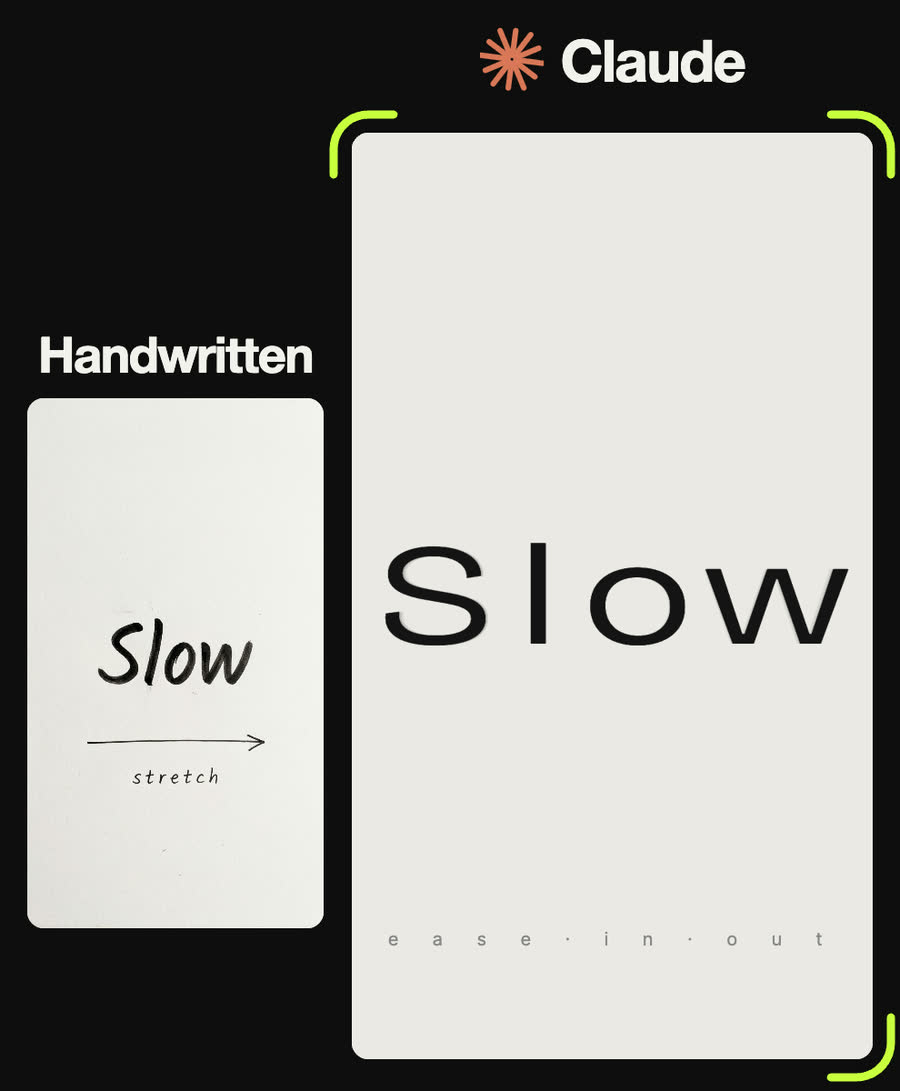
SLOW: thin letters (weight 300) on warm grey #ebe9e5 drift apart and stretch from 80% to 135% width over frames 4 to 86 with an ease-in-out; two faint copies trail 5 and 10 frames behind; a caption "e a s e · i n · o u t" widens with it.
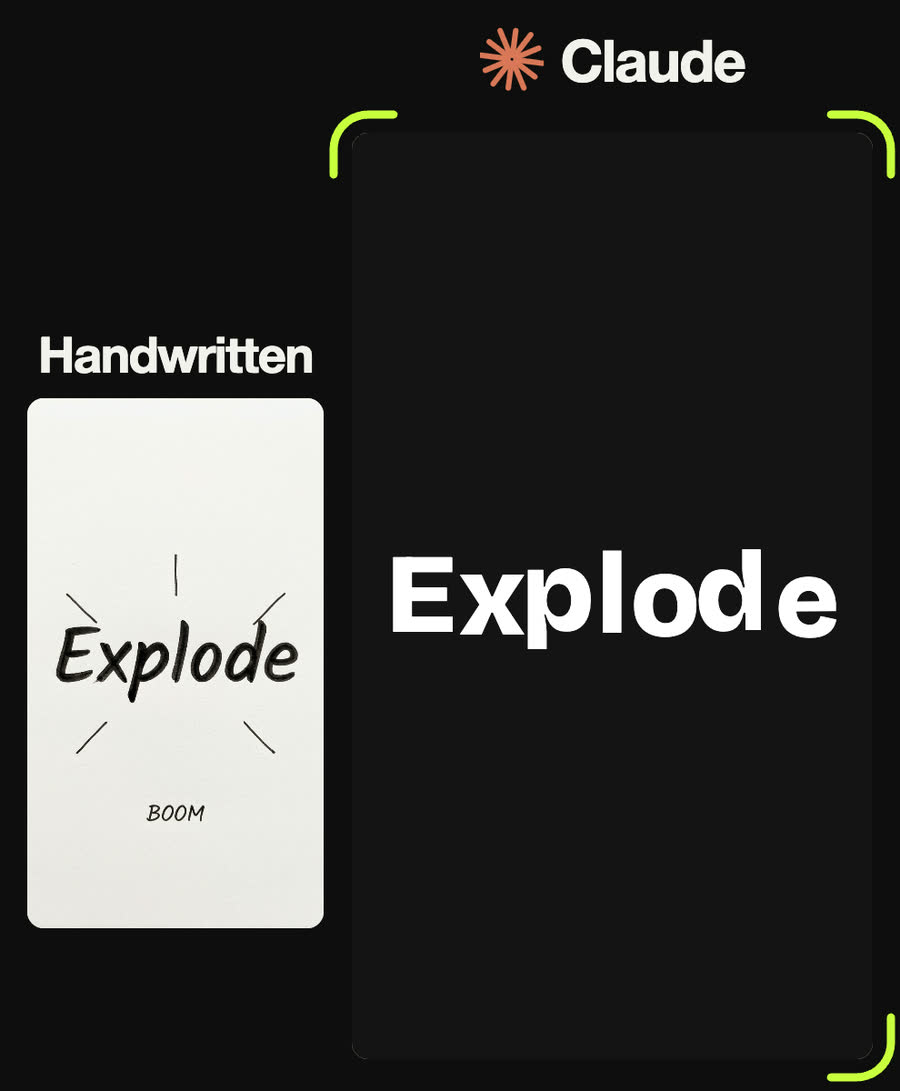
EXPLODE: white heavy letters on #141414 spring in one by one from frame 2; they shake from frame 26; at frame 34 a white flash, a gold #f2b632 ring expanding to 900 px, 40 sparks falling with gravity, and every letter flies outward and spins.
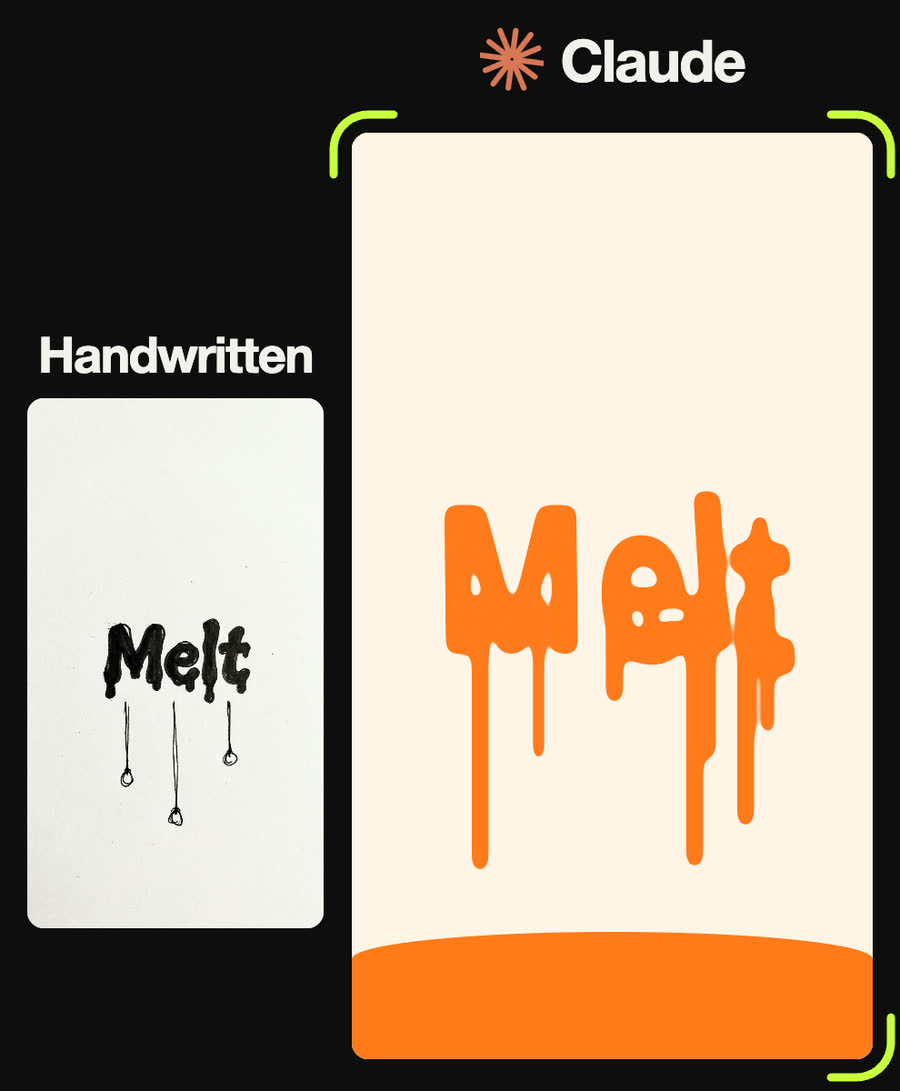
MELT: orange #ff7a1a letters on cream #fff4e6; from frame 12 to 80 an SVG goo filter (blur up to 7, then alpha threshold) softens them while they stretch downwards; two drips grow under each letter; an orange puddle rises from the bottom from frame 40.
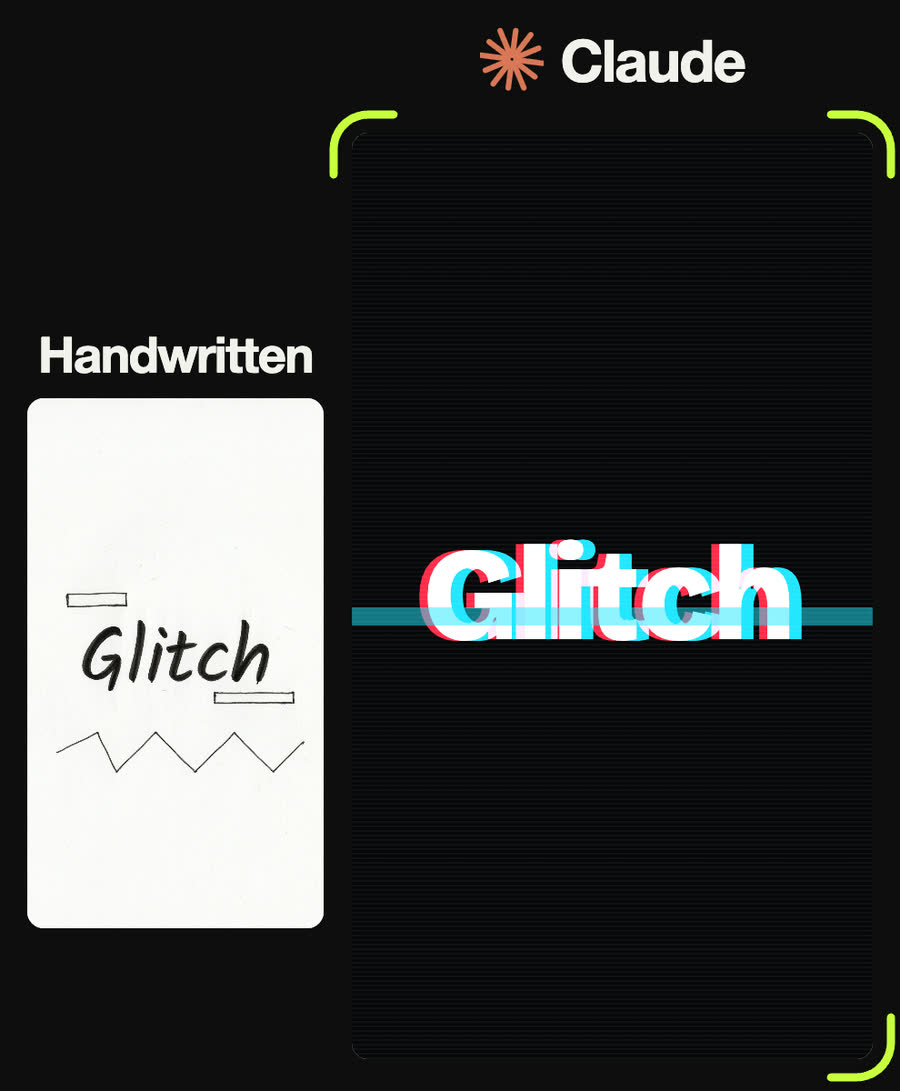
GLITCH: the word in white over red #ff2b4a and cyan #21e6ff copies offset 6 px on near-black #07070a; seven horizontal bands jump sideways at random in bursts on frames 15-21, 41-45 and 63-71; scanlines and a flashing colour bar.
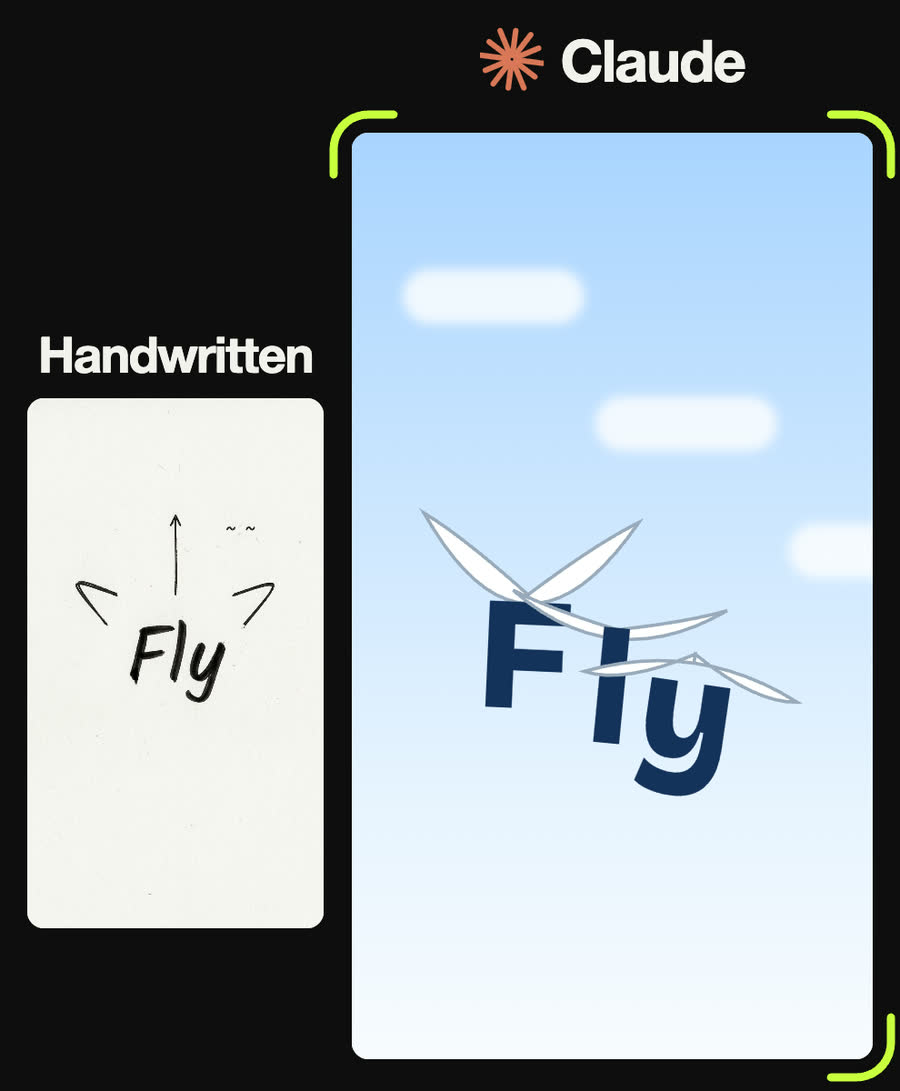
FLY: navy #14325a letters on a pale blue sky gradient with drifting blurred clouds; each letter has small white flapping wings and takes off in turn from frame 26, seven frames apart, accelerating upwards with a wobble and a tilt.
Tips
- The motion has to mean the word. If you could swap the animation onto another word without losing anything, it is not kinetic type yet.
- Animate letters, not the whole word. Staggering the starts by a few frames makes almost any effect feel alive.
- Ask for a fixed pseudo-random function instead of Math.random(), so the animation looks the same every time you record it.
- Keep words short. Long words get small and the motion gets lost.
- Check the heaviest weight your font has. Bricolage Grotesque stops at 800 on Google Fonts, so asking for 900 gives you 800.
Claude skill
Do it in one go with the handwritten-word-to-kinetic-type skill
Give Claude a word (or a photo of it handwritten) and it designs a motion that acts out the meaning and builds it as a playable web page. It ships with all five effects from the reel, measured from the reel's code, ready to reuse with your own words.
Download handwritten-word-to-kinetic-type.zipIn Claude (web or desktop app)
- Open Settings → Capabilities and make sure code execution is on.
- Under Skills, choose Upload skill and pick the zip.
- Start a chat, attach a photo of your input, and ask for the result. Claude uses the skill on its own.
In Claude Code
- Unzip it into
~/.claude/skills/(or.claude/skills/in a project). - Restart Claude Code and ask for the result. The skill loads when it fits.