Resources · Guide 12 · RECIPE
Turn a photo of your grocery list into a recipe card
Photograph your shopping list and Claude works out a dish that uses it, writes the recipe, gives you a food-photo prompt and lays it all out as a card. Do it for a few lists and you get a full menu. This is how the reel's four dishes and Sunday menu were made.
What you'll make
- A recipe card: food photo, title, time, servings, estimated calories and the ingredients from your list
- The full recipe with quantities and a step-by-step method
- A food photo made from a prompt Claude writes for the dish
- A menu that puts several dishes together (the reel did four)
What you need
Claude
Reads your handwriting, picks the dish, writes the recipe and photo prompt, and builds the card
Z Image Turbo
Makes the food photo (we used it through the Higgsfield API; any strong image model works)
Step by step
6 steps-
Photograph your list
Any list works: the one on the fridge, a note on your phone, a scrap of paper. Give it a heading if you can, like "pasta night" or "SUNDAY - for 4". Claude uses it to guess the meal and how many people.
Take the photo straight on in good light so the handwriting is readable.
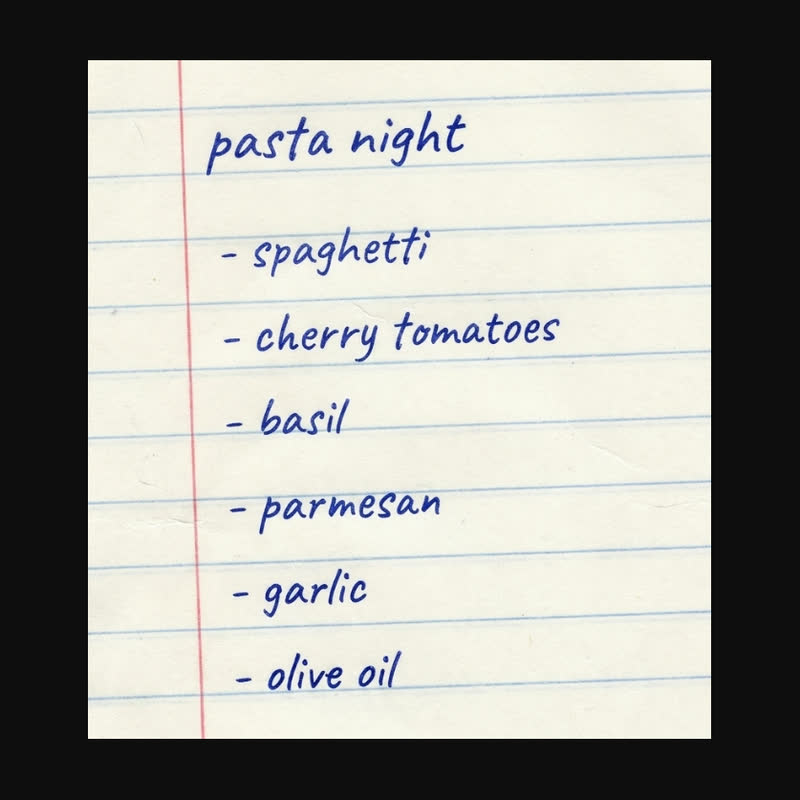 pasta night
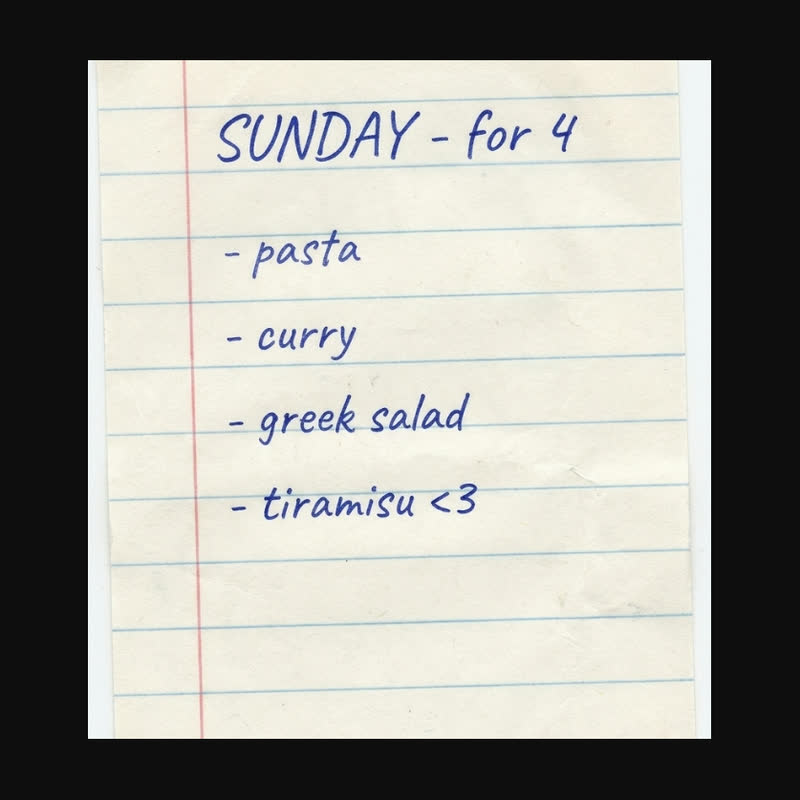 SUNDAY - for 4
Two of the lists in the reel. A heading like "pasta night" or "SUNDAY - for 4" tells Claude the meal and how many people. -
Ask Claude for a dish
Claude reads the list back to you first, so you can catch any word it misread. Then it proposes a dish that uses most of what you bought and needs little else.
It should list cupboard staples like oil and salt separately, so you know what is not on your list. If it suggests something you would have to buy, it should say so.
Ask ClaudeHere is a photo of my grocery list. First, write out every item you can read; mark anything unclear with (?). Then suggest one dish that uses most of these and needs little else, and say in one line why it fits. Assume I have oil, salt and pepper, and tell me if the dish needs anything else.
-
Get the full recipe
Ask for the title, total time, servings, ingredients with quantities and a short numbered method. Ask for calories per serving too, but treat them as a rough estimate: Claude works them out from typical values, not from your exact products.
In the reel the spaghetti came out at 20 minutes, serves 2, about 610 kcal; the curry at 35 minutes, serves 4, about 480 kcal.
Ask ClaudeWrite the recipe: a short specific title, total time (including any chilling or resting), servings, the ingredients with metric quantities, what I need from the cupboard, and 3 to 6 numbered method steps with times and heat levels. Add an estimated calorie count per serving, rounded to the nearest 10, and label it as an estimate. Flag anything with raw egg or that needs cooking to a safe temperature.
-
Make the food photo
Ask Claude for a photo prompt in the pattern the reel used: what the dish looks like, what it is served in, what it sits on, and the light. Naming the ingredients you would actually see keeps the photo true to the recipe.
Run it at 9:16. We used Z Image Turbo through the Higgsfield API (about $0.015 a picture); Nano Banana, FLUX or Midjourney take the same prompt. Remember it is an illustration of the dish, not a photo of what you will cook.
Ask ClaudeWrite one image prompt for this dish in this pattern: "Overhead food photograph of [the dish with the ingredients you would see] in [a bowl or plate that suits it] on [a surface], [light]". For a tall dish like a cake slice, use a side angle instead of overhead. No text, hands or packaging.
-
Have Claude lay out the card
The reel's card is a 9:16 page: the photo across the top, then a white card that slides up over it with a small label, the title, a line with time, servings and calories, and the items from your list as ticked chips.
If you downloaded the skill, Claude fills in its card template, which also puts the full recipe under the card.
Ask ClaudeBuild a recipe card as one self-contained HTML page at 9:16 (573 x 1019 px). The food photo fills the top 600 px. A white card with 28 px rounded corners overlaps it from 520 px down, with: a small orange label "RECIPE · 01", the title in Fraunces bold, a grey line with ⏱ time, 🍽 serves and 🔥 ~kcal, and my list items as rounded chips with a green tick. Put a small "estimate per serving" note under the calories. Below the card, show the full recipe with quantities and method. Let me drag my photo onto the photo area.
-
Do a few lists, then make a menu
Repeat for each list. The reel did four: pasta night, a curry, a Greek salad and a tiramisu. Then ask for a menu that puts them in eating order, with a round photo, the course, the dish and its first three ingredients for each.
The reel's menu used Italian course names (Primo, Secondo, Contorno, Dolce). Use Starter, Main, Side and Dessert if that fits your meal better.
Ask ClaudePut these dishes together as a menu page at 9:16: a cream paper card on a dark green border, a small subtitle with who and when ("FOR FOUR · 29 OCT"), a big serif title, a short rule, then one row per course with a round photo, the course name, the dish and its first three ingredients. Put them in a sensible eating order.
The prompts behind the reel
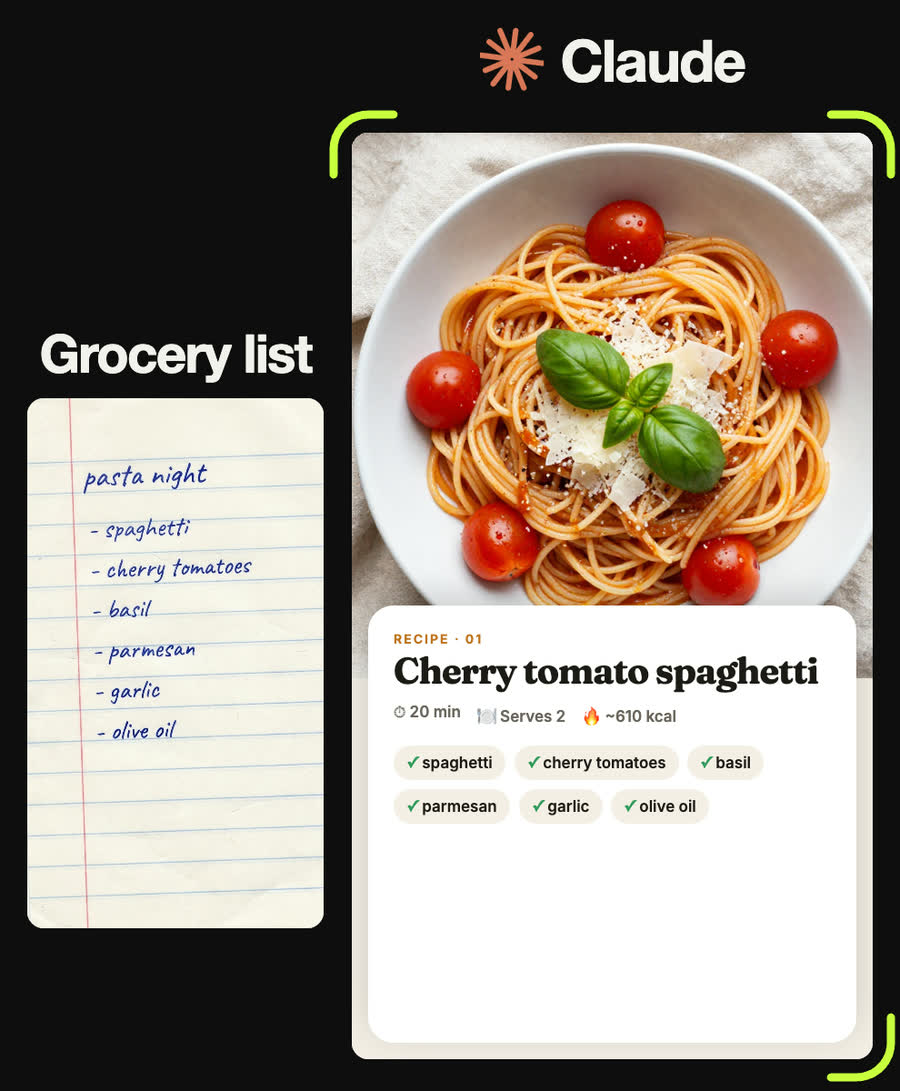
Overhead food photograph of spaghetti with cherry tomatoes, fresh basil and shaved parmesan in a white bowl on a linen cloth, soft natural light
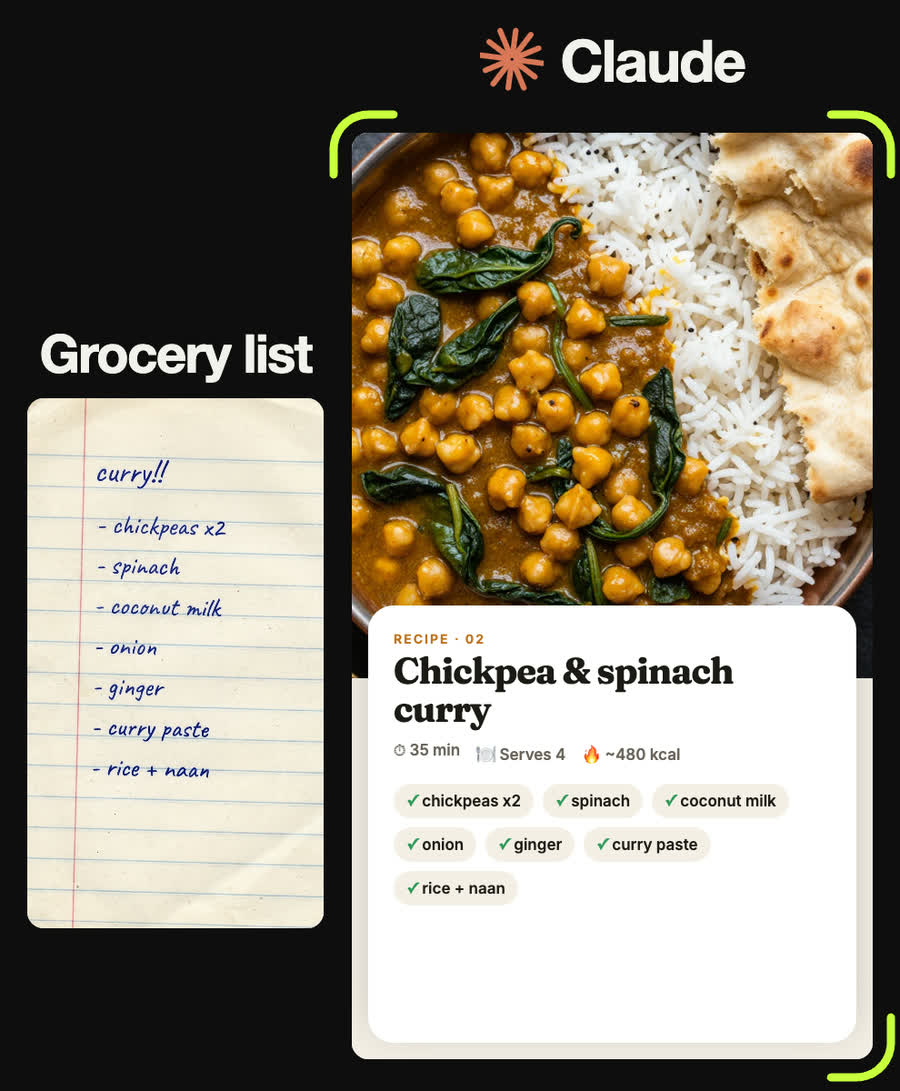
Overhead food photograph of a chickpea and spinach curry with basmati rice and torn naan in a copper bowl on a dark slate surface, warm light
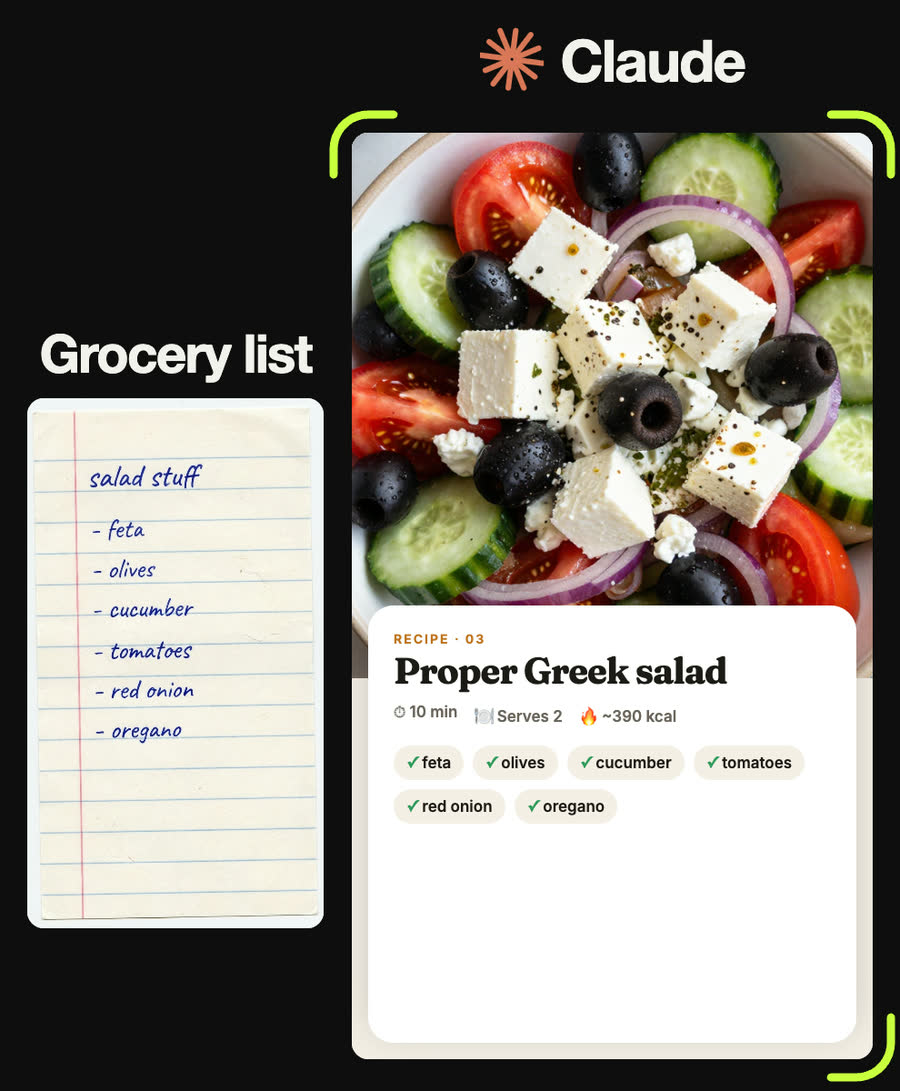
Overhead food photograph of a Greek salad with feta, black olives, cucumber, tomato and red onion in a ceramic bowl, bright daylight
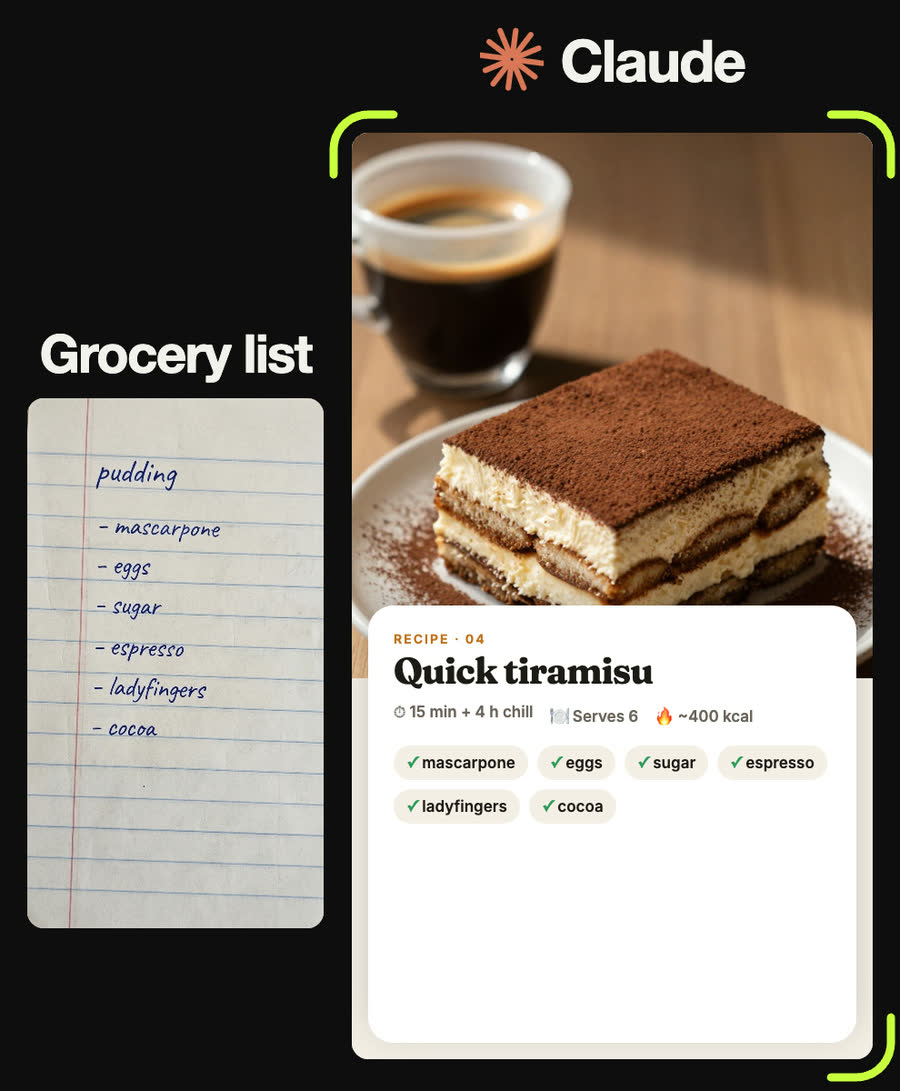
Food photograph of a slice of tiramisu dusted with cocoa on a small plate with an espresso cup beside it, warm side light, shallow depth of field
Tips
- Check what Claude read from your list before it cooks anything up. One misread word changes the dish.
- Calories are estimates from typical values. If you track them closely, weigh your ingredients and use a nutrition app.
- Tell Claude about allergies and diets up front. Do not rely on it to guess.
- Vary the bowl and surface between dishes so a menu of photos does not look like one set.
- If the photo shows an ingredient you do not have, take it out of the prompt and run it again.
Claude skill
Do it in one go with the grocery-list-to-recipe skill
Give Claude a photo of a grocery list and it reads the items, proposes a dish, writes the recipe with an estimated calorie count, writes the food-photo prompt and fills in the reel's card and menu template. In Claude Code with a Higgsfield key it can also generate the food photos.
Download grocery-list-to-recipe.zipIn Claude (web or desktop app)
- Open Settings → Capabilities and make sure code execution is on.
- Under Skills, choose Upload skill and pick the zip.
- Start a chat, attach a photo of your input, and ask for the result. Claude uses the skill on its own.
In Claude Code
- Unzip it into
~/.claude/skills/(or.claude/skills/in a project). - Restart Claude Code and ask for the result. The skill loads when it fits.