Resources · Guide 01 · LOGO
Turn a napkin doodle into a real vector logo
Snap a photo of your doodle, give Claude a short brief, and get back a clean SVG logo built from simple shapes, locked up with your brand name, in colour and in one colour. No image generator: Claude writes the logo as code, which is exactly how the five logos in the reel were made.
What you'll make
- Your logo as an SVG file: sharp at any size and easy to edit
- A lockup with your brand name and a short descriptor underneath
- A one-colour version for stamps, print and dark backgrounds
- PNG exports for social profiles and slides (plus a 1024 px square if it is an app icon)
What you need
Claude
Reads your doodle and builds the logo as SVG code (in a claude.ai artifact or as files in Claude Code)
Your phone camera
A straight-on photo of the sketch
Figma or Inkscape (optional)
Open the SVG to nudge it by hand or turn the text into outlines for print
Step by step
7 steps-
Doodle it and write notes around it
Draw the idea as simply as you can: the letters, the main shape, where the name goes. Then write two or three notes next to it in plain words. In the reel the notes were things like "AK monogram? bold, geometric", "fox mascot for the coffee bags" and "round badge, stamp feel".
Notes matter more than drawing skill. Claude reads them as the brief. Photograph the sketch straight on in good light.
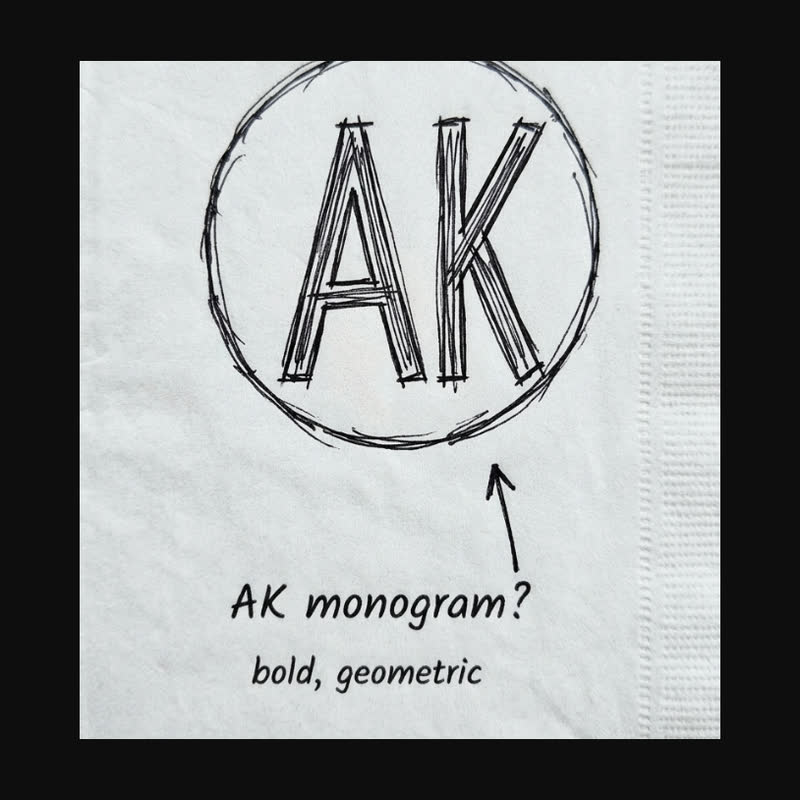 AK monogram
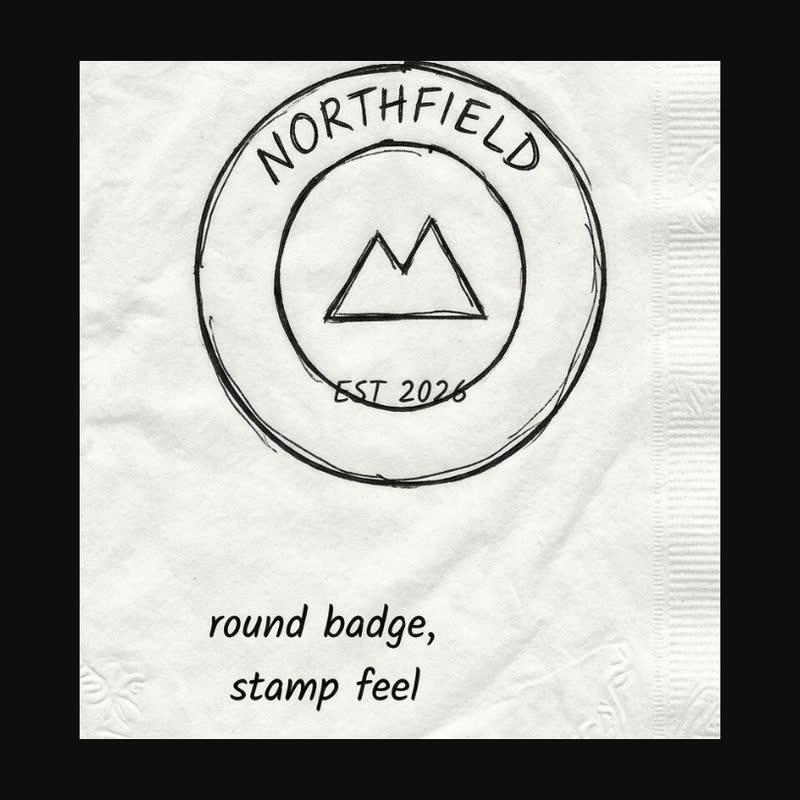 Round badge
Two of the napkin sketches in the reel. Each is a simple shape plus a short note in plain words, and the note is what Claude reads as the brief. -
Give Claude the photo and a short brief
Tell Claude the brand name exactly as it should be spelt, what the business does in one line, and any colours you already have. Ask for SVG built from simple geometry, not a picture.
In claude.ai ask for an artifact so you can see it straight away. In Claude Code, ask it to write the files into a folder.
Ask ClaudeHere is a photo of my logo sketch. Build it as a clean vector logo in SVG code, not an image. Brand name: [NAME]. What we do: [ONE LINE]. Colours: [COLOURS or "you choose"]. Use simple geometry (circles, straight lines, one or two curves), build any letters as thick strokes, and lock it up with the name underneath and a small uppercase descriptor. Show it in an artifact with a colour and a one-colour version side by side. Before you draw, tell me what you read in the sketch and ask me anything you can't read.
-
Answer its questions
Claude should tell you what it read (the letters, the shapes, your notes) and ask only about what it can't see, such as the full name or the colours. If it misread a letter, correct it now. It is quicker than fixing the drawing later.
-
Check it small and in one colour
A logo has to work on a stamp and as a tiny profile picture. Ask to see it at 32 pixels and in black only. If it falls apart in one colour, the shapes need fixing, not the colours.
Ask ClaudeShow the logo at 32 px and at 16 px, and the one-colour version on white and on black. Tell me which details disappear at small sizes and fix them: thicken any stroke that gets lost and simplify anything that turns to mush.
-
Change it with numbers, not adjectives
Because the logo is code, every part is a number: stroke width, corner radius, letter spacing, colour. Ask for specific changes and you get exactly that change and nothing else. "Make it pop" gets you a guess; "thicker strokes and tighter spacing on the name" gets you a fix.
If you can't decide, ask for two or three versions that differ in one thing each, for example with and without the ring.
Ask ClaudeKeep everything else the same and change only this: make the letter strokes about 20% thicker, tighten the spacing on the brand name, and use [HEX] for the accent. Then show the before and after side by side.
-
Export the files
You want the SVG (the master), a one-colour SVG, and PNGs for everyday use. In claude.ai, ask for download buttons on the artifact. In Claude Code, Claude can save the SVGs and render the PNGs with a headless browser.
If it is an app icon, export a 1024 × 1024 square with no rounded corners and no transparency. The App Store and Google Play add the rounded mask themselves.
Ask ClaudeAdd download buttons to the artifact: logo.svg, logo-mono.svg, and PNGs at 1024 and 2048 px with a transparent background. Embed the fonts in the SVG so the name looks right when I open the file elsewhere.
-
Check the name before you use it
Claude builds you a starting logo, not legal clearance. Before you print it on anything, search your country's trademark register (UK IPO, USPTO or EUIPO) for the name and anything that looks similar.
The prompts behind the reel
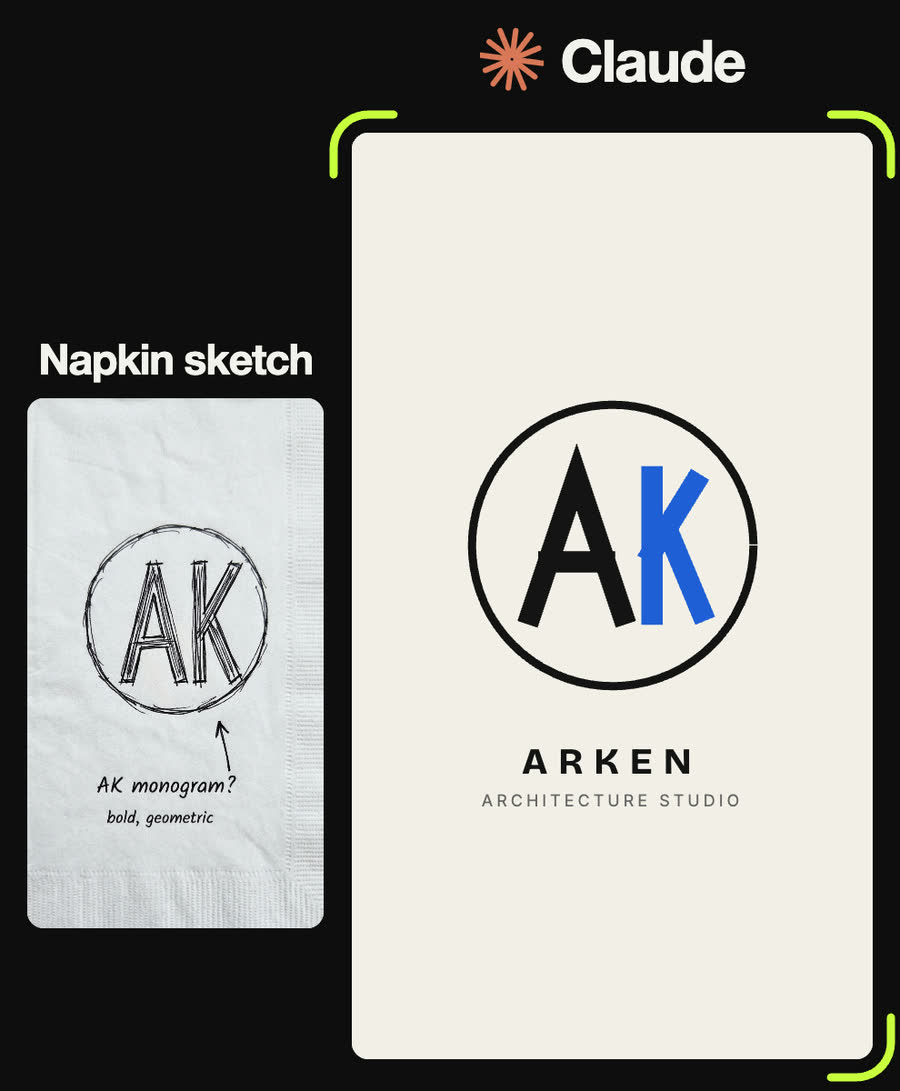
Here's my napkin sketch: AK inside a circle, notes say "AK monogram? bold, geometric". Build an SVG monogram on a 200 × 200 grid: a thin black ring, the A and K as thick straight strokes with square ends sharing the same top and bottom line, the K in blue #1f5fd6. Lock it up with "ARKEN" in a bold geometric sans with wide letter spacing and "ARCHITECTURE STUDIO" small underneath. Warm paper background #f3efe7.
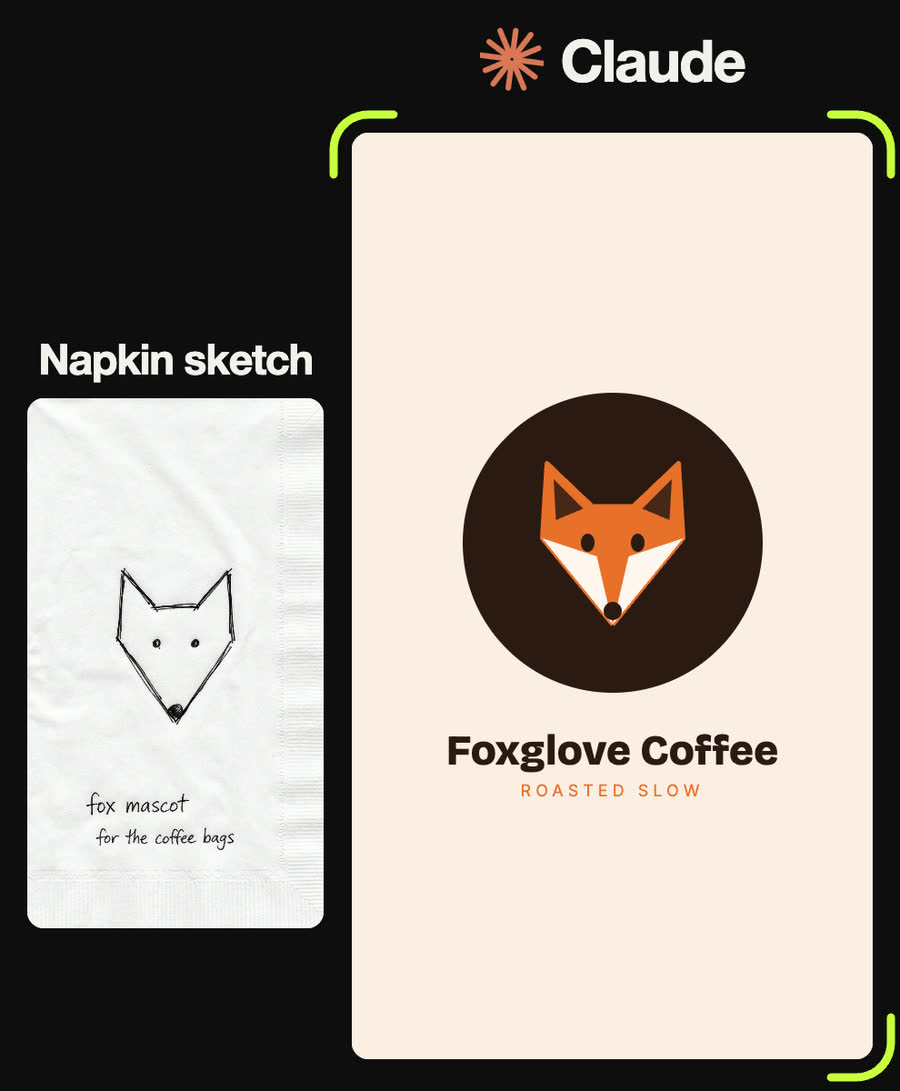
My sketch is a fox head made of straight lines, notes say "fox mascot for the coffee bags". Build it as one symmetrical SVG polygon (two pointed ears, wide cheeks, pointed chin) in orange #e8702a, with white cheek triangles, dark inner ears, two oval eyes and a round nose, sitting on a dark roast-brown disc #2b1a12. Name underneath: "Foxglove Coffee" in a heavy rounded sans, "ROASTED SLOW" small in orange.
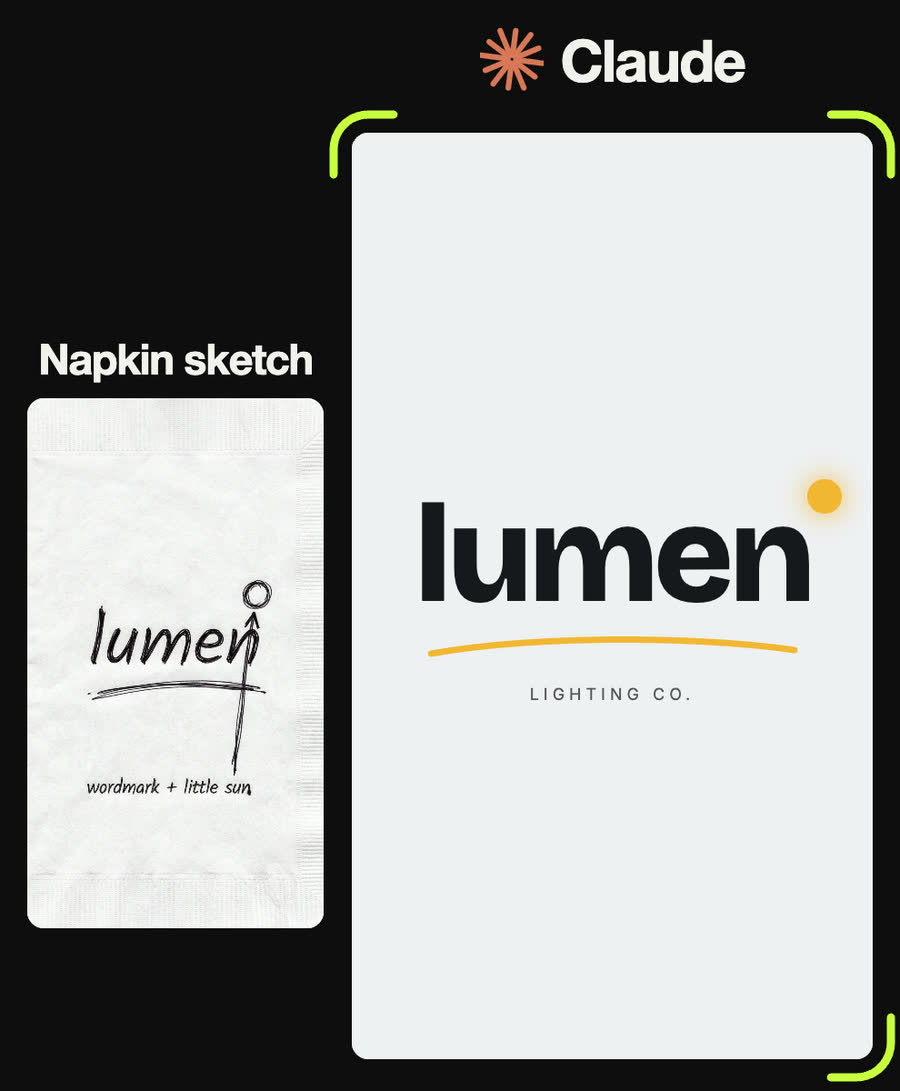
Sketch: the word "lumen" in lowercase with a little sun at the top right and a curved line under it, note says "wordmark + little sun". Set "lumen" in a very heavy sans with tight negative letter spacing, add a small yellow #f2b632 sun circle just above and right of the last letter, and a gentle yellow swoosh underneath. "LIGHTING CO." in small spaced capitals below. Give me the SVG and a one-colour version.
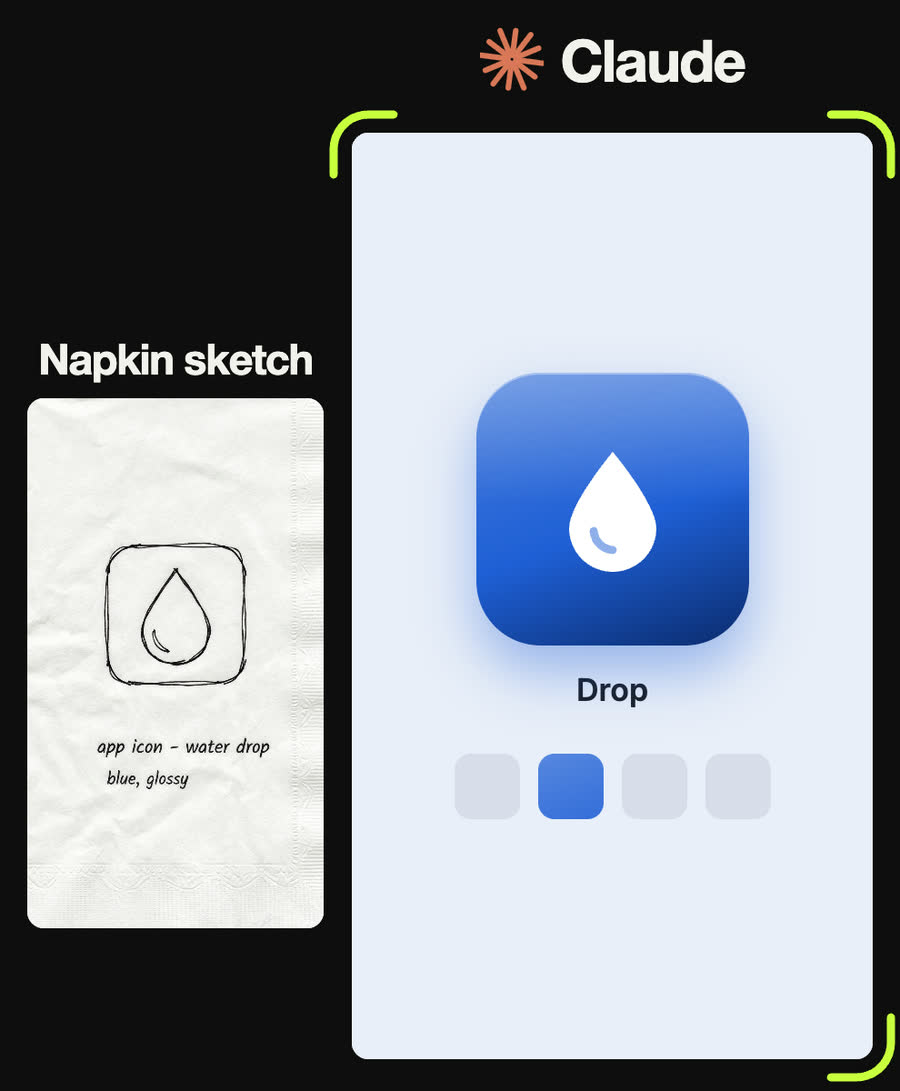
Sketch: a rounded square with a water drop in it, notes say "app icon - water drop, blue, glossy". Build an SVG app icon: a square tile with corners at 23.5% of the side, a blue gradient from lighter at the top to deep navy at the bottom, a soft white gloss on the top half, and a white drop at half the tile's size, centred. Show it on a phone home-screen row next to grey placeholder icons, and export a 1024 × 1024 square with no rounded corners for the App Store.
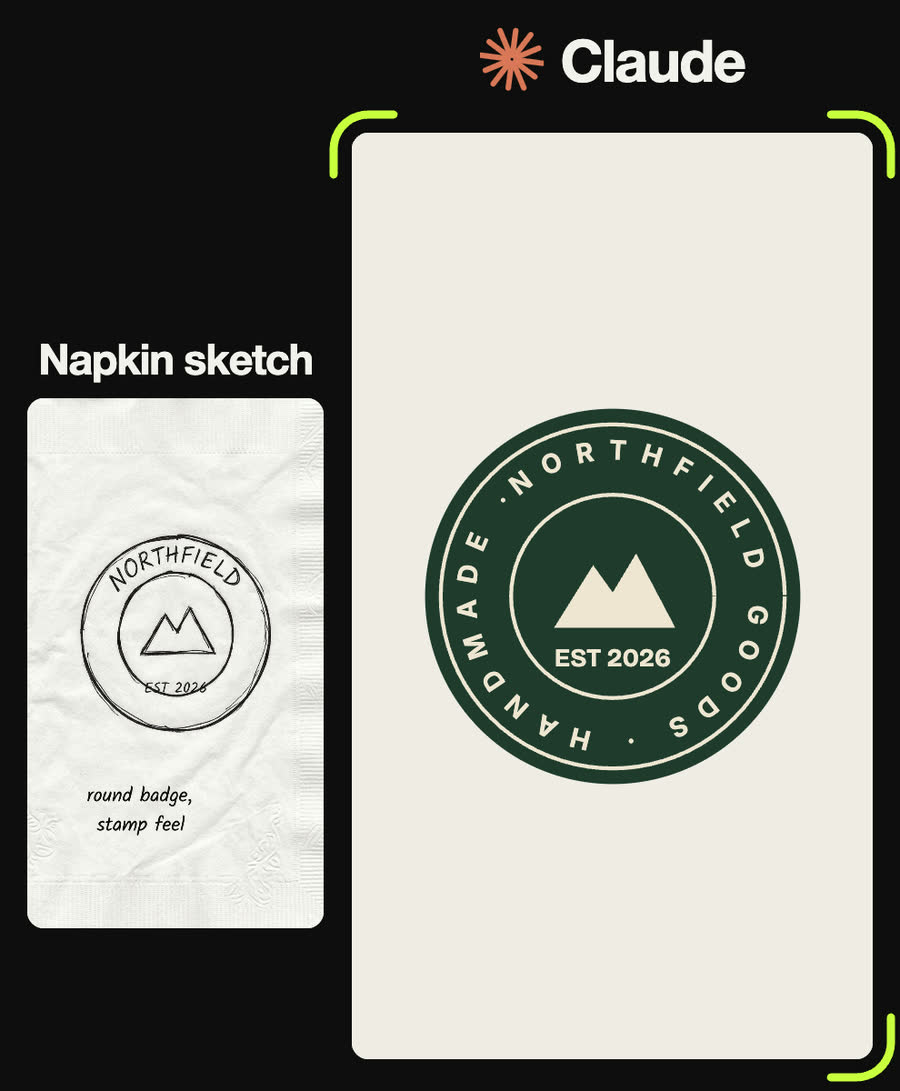
Sketch: a round badge with "NORTHFIELD" around the top, a mountain in the middle and "EST 2026", notes say "round badge, stamp feel". Build an SVG badge: a forest-green disc #1f3b2d, two thin cream rings, "NORTHFIELD GOODS · HANDMADE ·" running around the circle between the rings and fitted exactly to it, a simple two-peak mountain and "EST 2026" in the centre, all cream #efe6d2.
Tips
- Write the brand name in your message, not just on the sketch. Handwriting is the one thing Claude can misread.
- Ask for letters to be built from strokes. A monogram set in a normal font looks like typing, not a logo.
- One accent colour is plenty. Every logo in the reel is one dark colour plus at most one accent.
- If text has to run around a circle, ask Claude to fit it to the circle exactly. Otherwise the end gets cut off or leaves an uneven gap.
- Keep the SVG as your master file. Make PNGs from it whenever you need a new size.
Claude skill
Do it in one go with the napkin-sketch-to-logo skill
Give Claude a photo of your logo doodle and it builds the logo as clean SVG from simple geometry: brand-name lockup, one-colour version, small-size check and SVG/PNG exports. Includes the exact specs of the five reel logos and a starter sheet with a colour/mono switch and download buttons.
Download napkin-sketch-to-logo.zipIn Claude (web or desktop app)
- Open Settings → Capabilities and make sure code execution is on.
- Under Skills, choose Upload skill and pick the zip.
- Start a chat, attach a photo of your input, and ask for the result. Claude uses the skill on its own.
In Claude Code
- Unzip it into
~/.claude/skills/(or.claude/skills/in a project). - Restart Claude Code and ask for the result. The skill loads when it fits.